
Disavow: o que é a ferramenta do Google e como desautorizar backlinks
Por Tiago CostaAtualizado em 2 de julho de 2026

Disavow é a ferramenta do Google que pede ao buscador para ignorar backlinks tóxicos ao avaliar o seu site. Você deve considerar usá-la quando:
- recebeu uma ação manual por links não naturais;
- acumulou muitos links artificiais de spam;
- não conseguiu removê-los diretamente com os donos dos sites.
O que é o disavow e para que serve
O disavow, ou desautorização de links, é uma ferramenta do Google Search Console que permite dizer ao Google para não levar em conta certos backlinks ao avaliar o seu site. Você não apaga esses links da internet, apenas sinaliza ao buscador que eles não devem contar a seu favor nem contra você.
A ferramenta surgiu na época em que o algoritmo Penguin passou a punir perfis de links manipulados. Sites que haviam comprado links ou participado de esquemas precisavam de um jeito de se distanciar dessas ligações, e o disavow virou essa saída. Ele é, no fundo, um mecanismo de defesa, não uma tática de crescimento.
Quando (e quando não) usar o disavow
Esse é o ponto mais importante e o mais mal compreendido. A própria documentação do Search Console sobre desautorização de links avisa que esse é um recurso avançado e que deve ser usado com cautela, porque na maioria dos casos o Google consegue avaliar sozinho em quais links confiar, de modo que a maior parte dos sites não precisa usar essa ferramenta.
Ou seja, o disavow não é rotina de SEO. Usar por medo, sem um problema real, costuma fazer mais mal do que bem.
- Faz sentido usar quando: você recebeu uma ação manual por links não naturais, ou tem um histórico concreto de compra de links e esquemas de link building manipulado.
- Não faz sentido quando: você só viu um índice de spam score alto em uma ferramenta de terceiros e entrou em pânico, sem qualquer sinal do próprio Google.
Muitas ferramentas marcam como tóxicos links perfeitamente normais. Desautorizar em cima desses falsos positivos pode jogar fora bons backlinks e enfraquecer o seu perfil sem necessidade.
De onde vêm os links tóxicos
Antes de pensar em desautorizar, vale entender o que costuma gerar um perfil de links problemático:
- participação em link farms, redes criadas só para inflar quantidade de links;
- uso de uma rede de blogs privados (PBN) para apontar links artificiais para o próprio site;
- compra de links em massa, muitas vezes de sites irrelevantes ou em outro idioma;
- SEO negativo, quando um concorrente aponta links de spam de propósito para tentar prejudicar você.
Nem todo link ruim exige ação. O Google já ignora automaticamente boa parte do lixo. O disavow entra quando o volume é grande e há risco real, não diante de um ou outro link estranho.
Como criar o arquivo de disavow
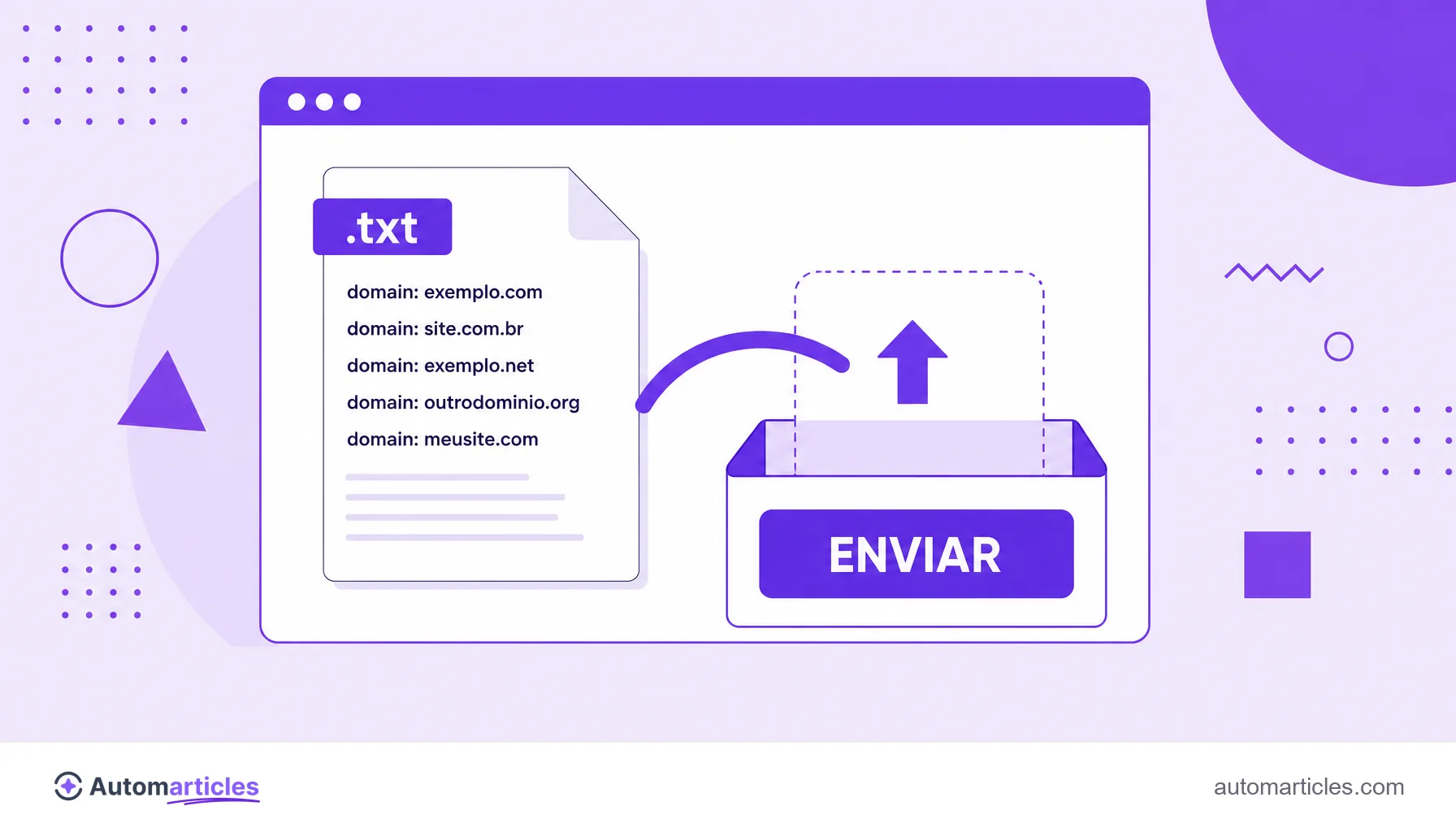
O disavow é enviado como um arquivo de texto simples (.txt), codificado em UTF-8 ou ASCII, com uma entrada por linha. A sintaxe é enxuta:
| Sintaxe | O que faz |
|---|---|
| http://spam.exemplo.com/pagina | Desautoriza uma URL específica. |
| domain:exemplo.com | Desautoriza o domínio inteiro, com todas as páginas dele. |
| # comentário | Linha de anotação, ignorada pelo Google. |
Na dúvida entre desautorizar uma página ou o domínio todo, a recomendação é usar domain: quando o site inteiro é suspeito, o que evita ter que listar dezenas de URLs uma a uma.
Passo a passo: como desautorizar backlinks no Search Console
Com o arquivo pronto, o envio é direto:
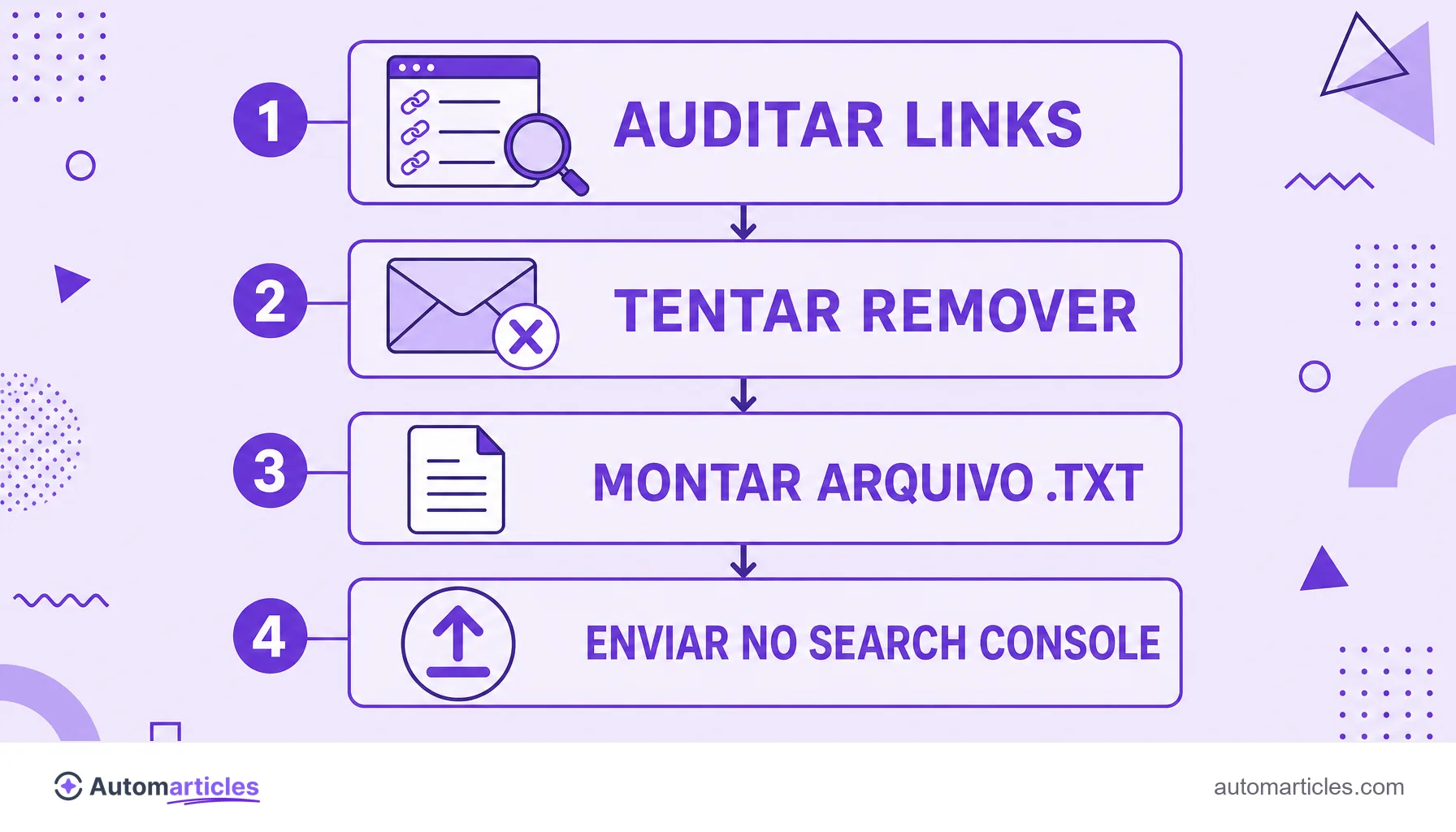
- Faça a auditoria: exporte os links no Search Console e cruze com uma ferramenta de análise para identificar o que é realmente tóxico.
- Tente a remoção manual primeiro: contatar o dono do site e pedir a retirada do link é sempre o caminho preferido pelo Google.
- Monte o arquivo .txt: liste apenas o que sobrou de fato problemático, uma entrada por linha.
- Acesse a ferramenta de desautorização: ela fica em uma página específica do Search Console, fora do menu principal.
- Selecione a propriedade e envie o arquivo: confirme o envio e guarde uma cópia do arquivo.
- Aguarde o reprocessamento: o Google passa a ignorar esses links à medida que os rastreia de novo, o que leva tempo.
Em paralelo, o melhor antídoto contra links tóxicos é seguir investindo em link building saudável, que constrói um perfil forte o suficiente para diluir o peso dos links ruins.
Riscos do disavow e boas práticas
O disavow é poderoso e, por isso mesmo, perigoso. Como ele manda o Google ignorar links, desautorizar por engano bons backlinks pode derrubar a autoridade que você levou anos para construir. Algumas boas práticas reduzem esse risco:
- desautorize com moderação e só o que for claramente tóxico;
- prefira remover manualmente antes de recorrer ao arquivo;
- revise a lista mais de uma vez antes de enviar;
- documente o motivo de cada domínio incluído;
- reavalie o arquivo de tempos em tempos e retire o que não faz mais sentido.
Na dúvida, o mais seguro é não desautorizar. Um perfil natural com alguns links estranhos é normal e o Google já sabe lidar com isso.