
Subtítulos (H2 y H3): qué son y cómo usarlos en el SEO
Por Tiago CostaActualizado el 2 de julio de 2026

Los subtítulos son títulos secundarios (las etiquetas H2 y H3) que dividen el contenido en secciones y subsecciones. Sirven para:
- organizar el texto en bloques de lectura;
- facilitar el escaneo de la página;
- indicar a Google el tema de cada sección;
- aumentar las posibilidades de aparecer en funciones como la posición cero.
Qué es un subtítulo (H2 y H3)
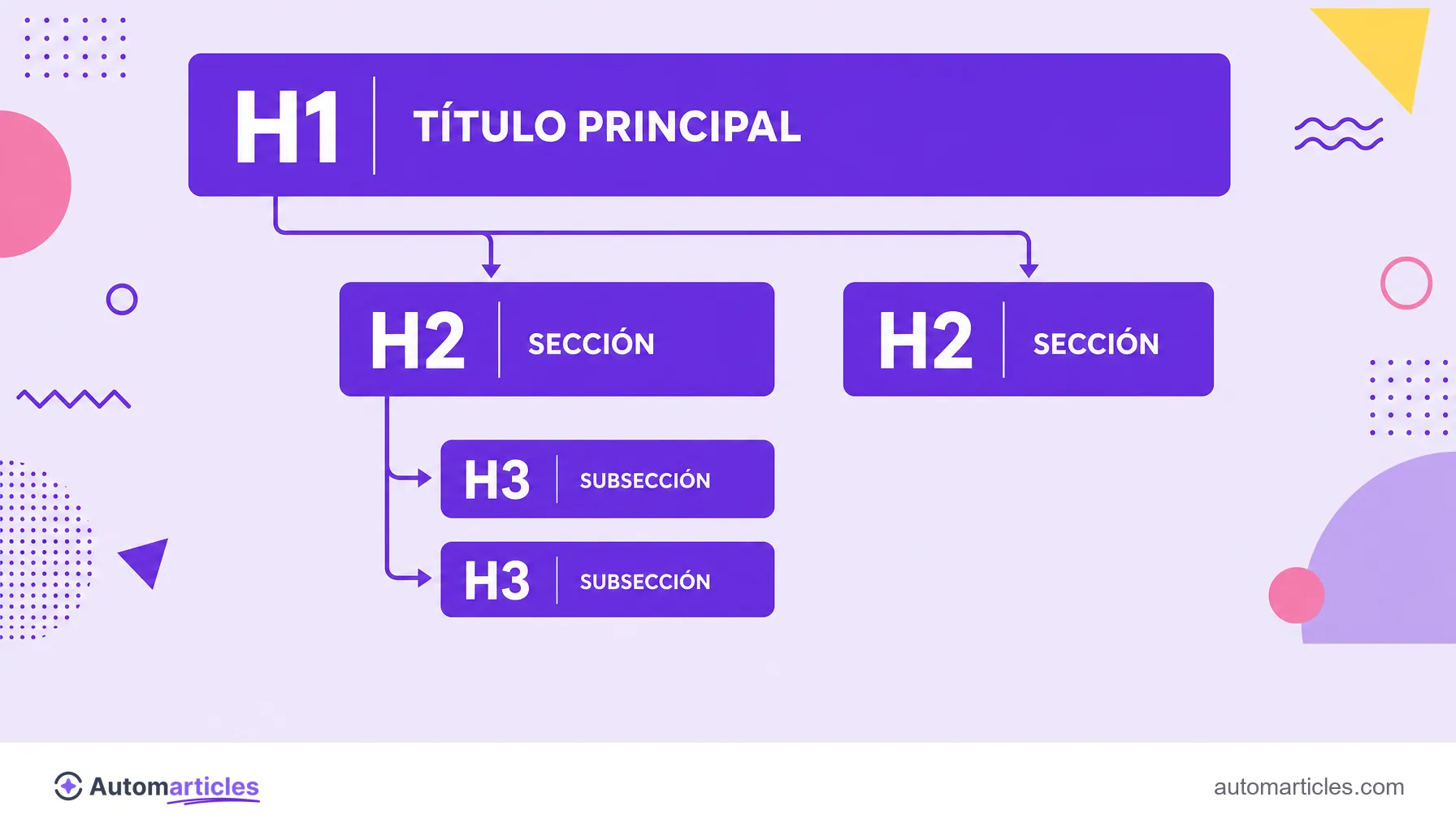
En el contexto del SEO on-page, un subtítulo es un título secundario que divide el contenido en partes más pequeñas. En la estructura HTML de la página, aparece sobre todo como H2 (las secciones principales) y H3 (las subsecciones dentro de un H2), justo debajo del título principal.
Conviene separar dos sentidos de la palabra. En un libro o en una noticia, el subtítulo es la línea de apoyo que complementa al título en la portada o el titular. En una página web, el término suele referirse a las etiquetas de encabezado que estructuran el cuerpo del texto. Es de este segundo sentido, el de los subtítulos H2 y H3, del que trata esta entrada.
Estos subtítulos forman parte de la familia de etiquetas de encabezado (de H1 a H6). Son uno de los elementos más visibles del SEO on-page, porque destacan para el lector y, al mismo tiempo, son leídos por los buscadores para entender la jerarquía del contenido.
Subtítulo, título y H1: entiende la jerarquía
Confundir el título con el subtítulo es común, pero la diferencia es clara cuando se mira la jerarquía de las etiquetas de encabezado. El H1 es el título principal, único por página, que anuncia el tema central. Los subtítulos vienen después, organizando las ideas en niveles.
| Etiqueta | Función | Cantidad |
|---|---|---|
| H1 | Título principal, el tema de la página | Uno por página |
| H2 | Subtítulo de sección principal | Varios |
| H3 | Subtítulo de subsección dentro de un H2 | Varios |
| H4 a H6 | Niveles más profundos, usados con moderación | Según haga falta |
La regla de oro es respetar el orden, sin saltarse niveles. Un H3 siempre pertenece a un H2 y no debe aparecer suelto. Esta jerarquía lógica funciona como un índice del contenido y es distinta del title tag, que es el título que se muestra como el enlace azul en la página de resultados y no aparece dentro del cuerpo del texto.
Por qué los subtítulos son importantes para el SEO y la lectura
Los subtítulos trabajan en dos frentes a la vez: mejoran la experiencia de quien lee y ayudan al buscador a entender la página.
Del lado del lector, son esenciales porque nadie lee la web palabra por palabra. Un estudio clásico del Nielsen Norman Group mostró que el 79% de los usuarios solo escanea las páginas nuevas que encuentra, y apenas el 16% lee el texto completo. Unos subtítulos claros funcionan como puntos de parada que permiten al lector encontrar rápido el fragmento que le interesa.
Del lado del SEO, los subtítulos aportan contexto. Cada H2 y H3 indica el tema de esa sección, lo que ayuda a Google a mapear los subtemas cubiertos y la relevancia del contenido. También son lugares estupendos para incluir variaciones de la palabra clave de forma natural, reforzando el tema sin caer en la repetición forzada. El resultado es una página más fácil de leer y más fácil de posicionar.
Cómo escribir buenos subtítulos paso a paso
Un buen subtítulo entrega, en pocas palabras, de qué trata la sección. Algunos principios prácticos:
- Sé descriptivo: el lector debe entender el contenido de la sección con solo echar un vistazo al subtítulo.
- Mantén el paralelismo: usa una estructura parecida entre los subtítulos del mismo nivel, lo que da ritmo y previsibilidad.
- Incluye la intención de búsqueda: cuando tenga sentido, usa formatos que la gente busca, como qué es, cómo hacer o ventajas.
- Inserta palabras clave con naturalidad: reparte variaciones del término en los H2 y H3 sin forzar.
- Respeta la jerarquía: H2 para secciones, H3 para subsecciones, siempre en orden.
Como el subtítulo suele ser lo primero que lee el usuario al escanear, es decisivo para la legibilidad y ayuda a retener a la persona en la página hasta el final.
Errores comunes al usar subtítulos
Algunos descuidos restan fuerza a los subtítulos y conviene evitarlos:
- Usar subtítulos solo por estética: aplicar un H2 o H3 solo para agrandar el texto, sin relación con la estructura, confunde al buscador.
- Saltarse niveles: ir de un H2 directo a un H4, por ejemplo, rompe la jerarquía lógica.
- Saturar de palabras clave: repetir el mismo término en cada subtítulo suena artificial y roza el exceso.
- Ser vago: subtítulos genéricos como introducción o más información no ayudan a nadie a escanear.
- Tener varios H1: usar más de un H1 quita claridad sobre cuál es el tema central de la página.
Corregir estos puntos suele ser rápido y mejora de inmediato la organización del texto, dando a cada sección un propósito claro.

Subtítulos, escaneabilidad y posición cero
Unos subtítulos bien escritos son la columna vertebral de un texto escaneable. Al dividir el contenido en bloques con títulos claros, aumentan la escaneabilidad y reducen el esfuerzo de lectura, un efecto que los datos confirman: en el mismo estudio del Nielsen Norman Group, la versión escaneable de una página tuvo una usabilidad cerca de un 47% mejor que la versión en bloque corrido.
Hay además un bono de SEO. Cuando una sección empieza con un subtítulo en forma de pregunta y responde de manera directa justo debajo, se vuelve una candidata natural a ocupar la posición cero, ese bloque de respuesta destacado por encima del primer resultado. Es decir, un subtítulo pensado con cuidado ayuda al lector, agrada a Google y hasta puede ganar un espacio privilegiado en la búsqueda.