
What hreflang is and how to use it in international SEO
By Tiago CostaUpdated on July 2, 2026

Hreflang is an attribute that tells Google the language and region of a page, to serve the right version to each user. It is used to:
- connect the versions of the same page in different languages;
- show the correct version by country or language in search;
- prevent similar pages from competing with each other;
- improve the experience of the international audience.
What hreflang is
Hreflang is an HTML attribute (from href lang, that is, the language of the link) that signals to search engines in which language and, optionally, for which region a page was made. With it, Google knows that the Brazilian Portuguese version, the Spanish one and the English one of the same article are equivalent, and shows the right one to each person.
Without that signal, an international site runs two risks: showing the wrong version (a Brazilian landing on the English page) and seeing the similar versions competing with each other in search, a problem close to that of the canonical URL and duplicate content. Hreflang solves that by connecting the versions and making clear who each one serves.
Because it deals with the structure and the signals the search engine reads, not with the visible text, hreflang is a classic technical SEO topic.
How the hreflang tag works
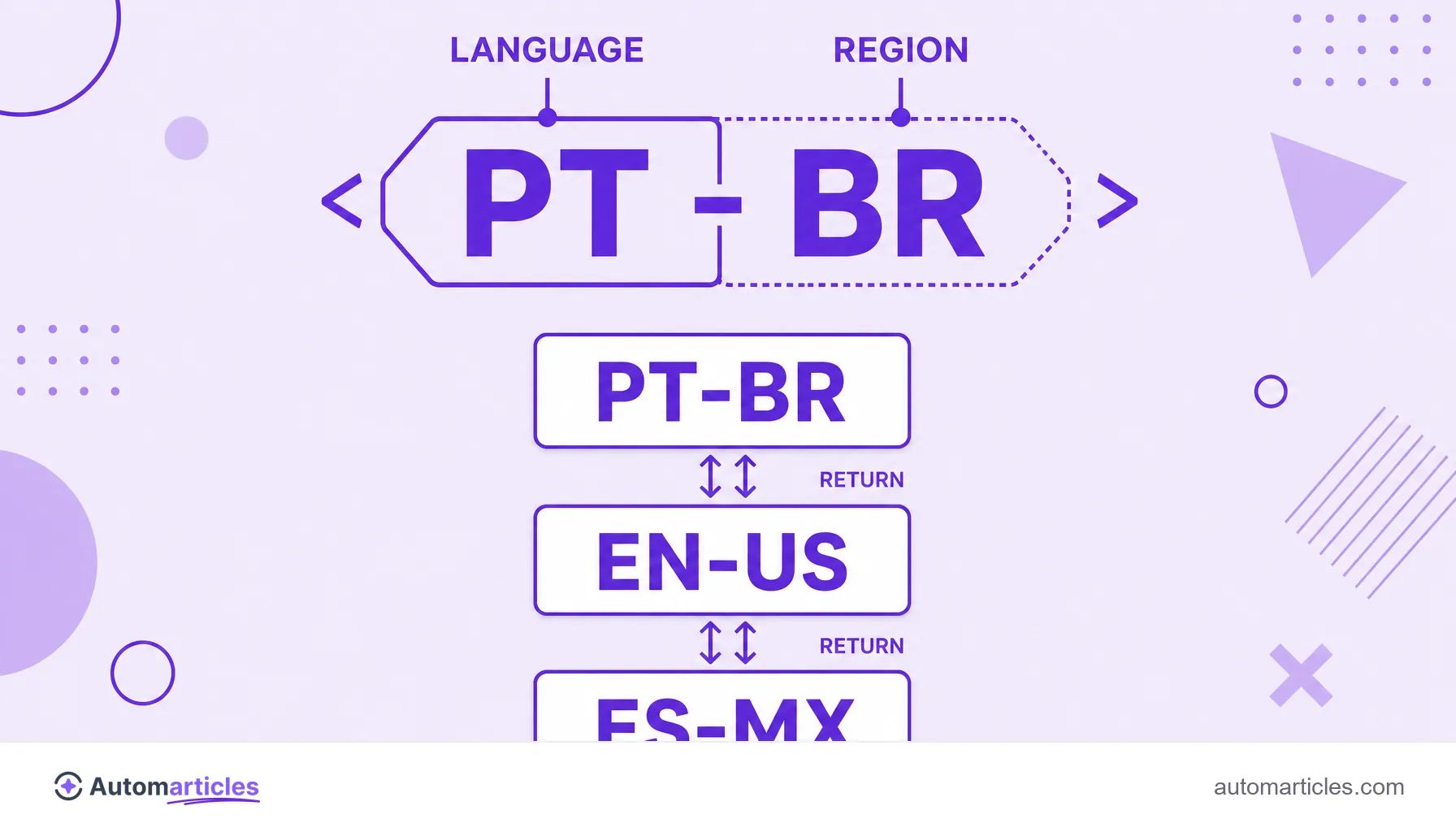
Each hreflang tag points to a version of the page and states its language using the ISO 639-1 code (like pt, es, en). When the page is specific to a country, you also add the region code in the ISO 3166-1 alpha-2 format (like pt-BR, es-MX, en-US).
The logic has two golden rules:
- Bidirectionality: if page A points to B, B needs to point back to A. Without that return, the search engine ignores the set.
- Self-reference: each page must include a hreflang tag pointing to itself, besides the ones pointing to the other versions.
A simple example of a set for three languages would be one tag for pt-BR, one for es and one for en, all present on each of the three pages. That way Google assembles the complete cluster of versions and understands that they are the same page in different languages.
Where to implement hreflang: HTML, sitemap or HTTP header
There are three ways to declare hreflang, and you choose one according to the type of content:
- Tags in the HTML: link tags in the head of each page, with the rel="alternate" attribute and the hreflang. It is the most common method for traditional HTML pages.
- XML sitemap: declaring the versions inside the XML sitemap keeps hreflang out of the page code, which helps on large sites and reduces the weight of the HTML.
- HTTP header: suited for files that are not HTML, like PDFs, since they have no head to receive the link tags.
Whatever the method, the result needs to reach the search engine during indexing, so it is worth confirming that the tags appear in the rendered version of the page, not only in the code sent to the browser.
Hreflang and the canonical URL: how they work together
A common confusion is mixing hreflang with the canonical tag. They solve different problems and need to be consistent with each other:
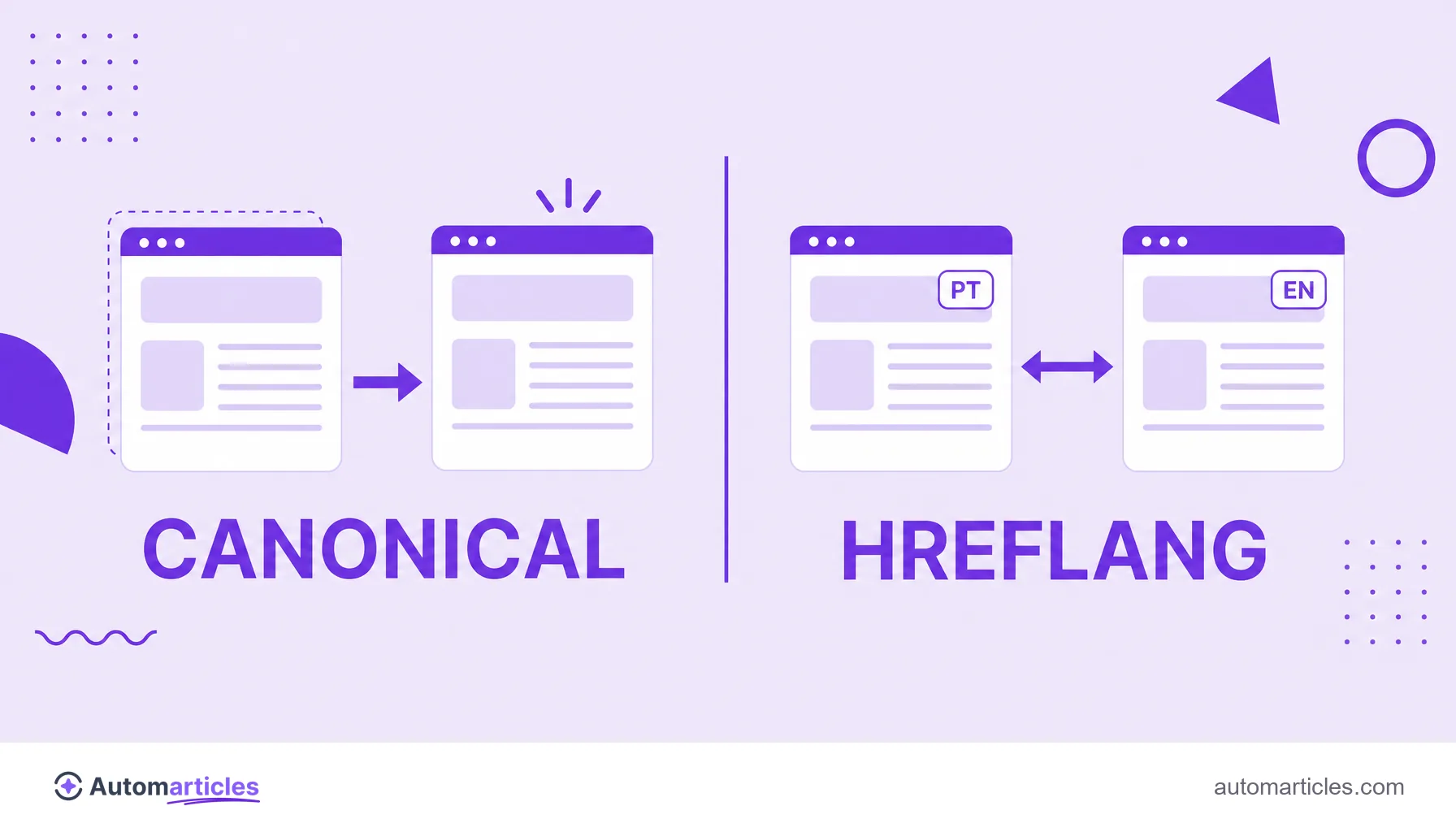
- The canonical URL points to the preferred version of a page when there are duplicates in the same language.
- Hreflang connects versions in different languages or regions, which are not duplicates but translations.
The rule that avoids most problems: each page must have a canonical tag pointing to itself (self-canonical), never to the version in another language. If the Spanish page declares the English version as canonical, hreflang conflicts and Google may simply ignore both. The canonical handles duplicates; hreflang handles language.
Common hreflang mistakes
Implementing hreflang is conceptually simple, but people get it wrong a lot in practice, and a single slip can bring down the entire set. The most frequent problems are:
- Missing self-reference: forgetting the tag in which the page points to itself.
- Missing return: page A points to B, but B does not point back.
- Wrong codes: using UK instead of GB, or swapping language and region.
- Broken or noindex URLs: pointing to pages that redirect, throw an error or are out of the index.
The scale of the problem shows up in the data. A Semrush study of 20,000 multilingual sites found hreflang conflicts in the source code on 58% of them and errors in the tag value on 15%. In other words, more than half of the analyzed sites had some hreflang problem, which reinforces the importance of validating the implementation.
How to validate hreflang and best practices
After implementing, test before you trust. A few practices keep hreflang healthy:
- Use a validator: SEO audit tools flag missing returns, invalid codes and broken URLs automatically.
- Check the codes: review each language and region in the correct ISO standard before publishing.
- Ensure self-reference and return: the two rules that cause the most errors.
- Point only to indexable pages: no URLs with noindex, redirect or error.
- Add the x-default: a value that indicates the default page for languages or regions with no specific version.
With the set validated and consistent, hreflang does the invisible work of delivering to each visitor the version of your content in the right language, which improves the experience and protects the site's performance in every market.