
Indexing in SEO: what it is and how it works on Google
By Tiago CostaUpdated on July 2, 2026
Indexing is the process of adding a page to a search engine's index, the database it uses to build the results. An indexed page:
- has already been crawled, rendered and analyzed by Google;
- is stored in the index and eligible to rank;
- can appear when someone searches a related term;
- without indexing, no position in search is possible.
What indexing is in SEO
Indexing is the stage where the search engine stores a page in its index, a giant library that works like the index at the back of a book: for each word, a list of where it appears. When someone searches, Google does not scan the whole web on the spot, it consults that already organized index.
The scale is striking. According to the documentation on how Google Search works, the index holds hundreds of billions of pages and takes up well over 100 million gigabytes. It is from this collection that every result you see comes.
The practical consequence is simple: being indexed is the condition for existing in search. A page that Google has not put in the index does not rank for anything, no matter how good the content is.
Crawling, indexing and ranking: the three stages
It is common to confuse three different moments of the search engine's work. Separating them helps diagnose problems:
| Stage | What happens |
|---|---|
| Crawling | The crawler discovers and downloads the page by following links and sitemaps. |
| Indexing | Google renders, understands and decides to store the page in the index. |
| Ranking | Faced with a query, the index is consulted and the pages are ordered. |
They are steps in sequence, but independent: a page can be crawled and not indexed, or indexed and not rank well. The larger the site, the more the crawl budget matters, that is, how many pages Google is willing to visit in a given period.
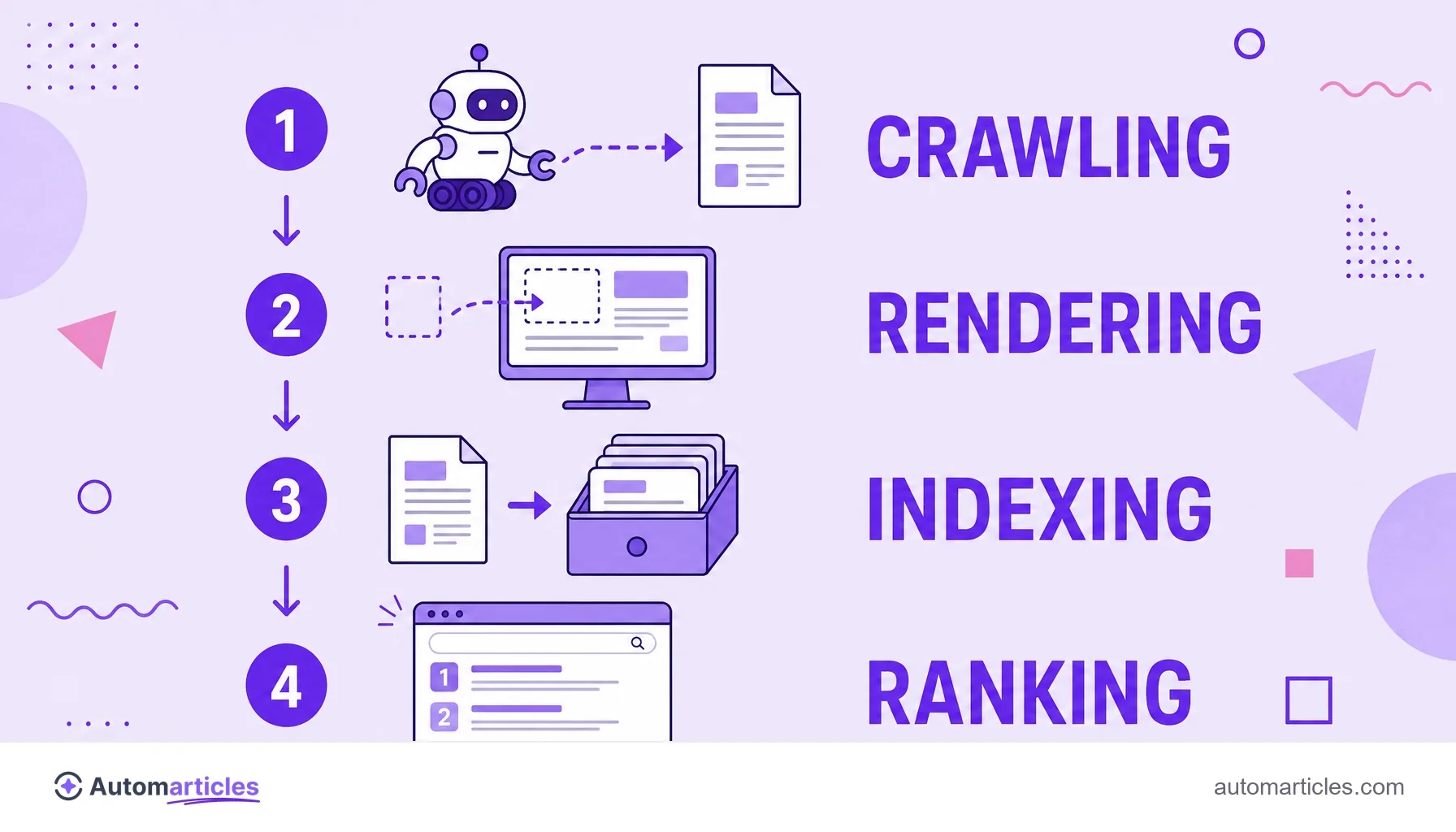
How Google indexes a page
From discovery to the index, the path has well defined stages. Understanding each one shows where indexing can get stuck:
- Discovery: Google finds the URL through a link, a sitemap or a manual submission.
- Crawling: the Googlebot downloads the HTML and the page's resources.
- Rendering: the search engine runs the code, including JavaScript, to see the page as the user would.
- Analysis: the content is interpreted (text, headings, links, data) and compared with what is already in the index.
- Indexing: if the page passes the quality criteria and has no blocks, it is stored and becomes eligible to rank.
At none of these steps is there an automatic guarantee. Google chooses what is worth indexing, and shallow or duplicate content tends to be left out.
How to know if your page is indexed
Finding out whether a page made it into the index takes a few minutes. The most reliable ways are:
- The site: operator: searching site:yourdomain.com/page on Google shows whether that URL appears in the index.
- URL inspection: the URL inspection in Google Search Console tells you whether the page is indexed and, if not, why.
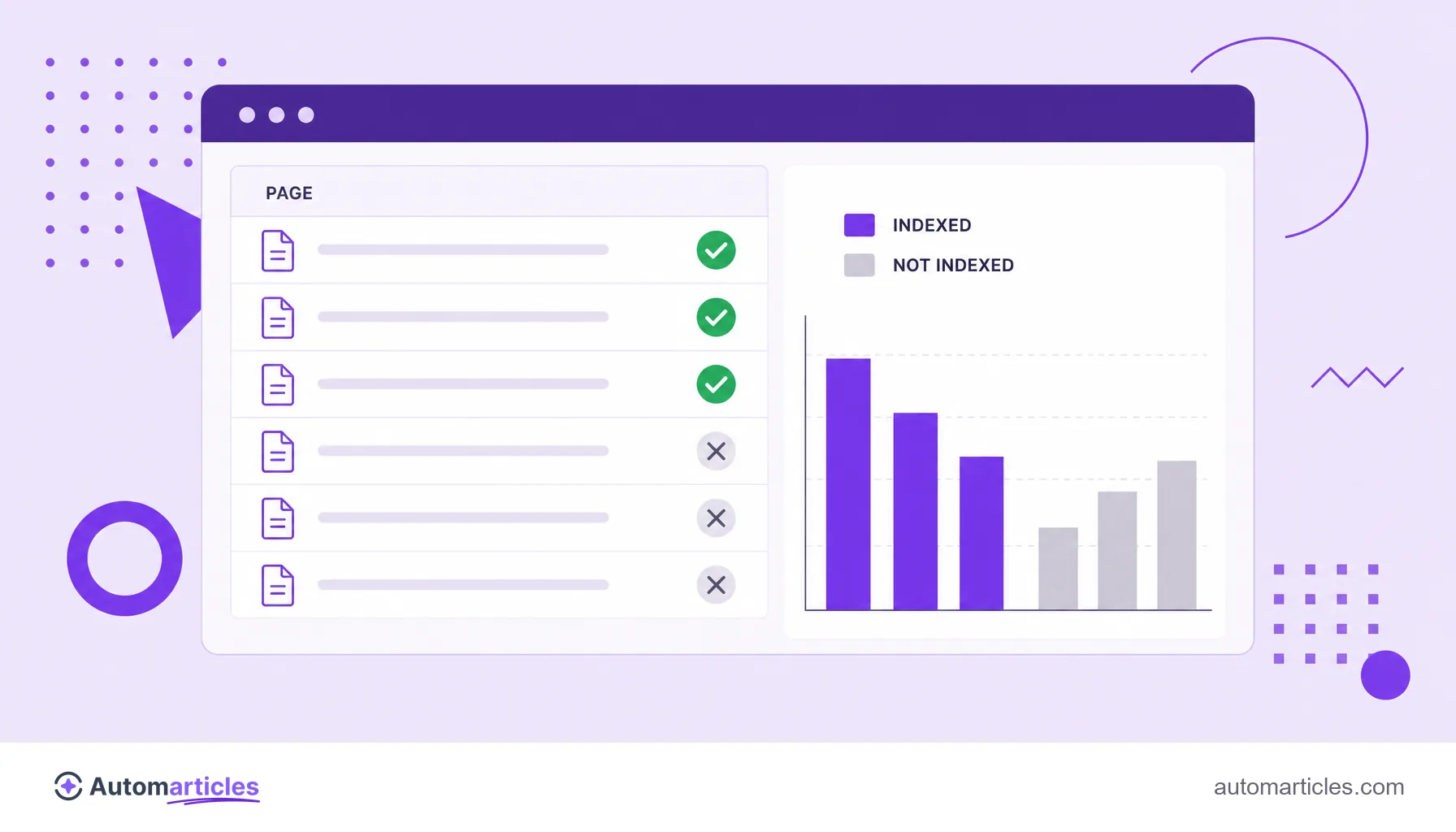
- Pages report: Search Console lists, at scale, which URLs are indexed and which were excluded, with the reason for each exclusion.
Search Console is the official source: instead of guessing, it shows the reading that Google itself makes of your site, which makes the diagnosis far more accurate.
How to improve and speed up indexing
You do not control Google, but you can remove barriers and make its job easier. The highest impact actions:
- Submit a sitemap: the XML sitemap lists your important URLs and helps the search engine discover them.
- Strengthen internal links: a good mesh of internal links takes the robot to new pages and signals which ones matter.
- Do not block by mistake: check the robots.txt and remove the noindex tag from pages that should rank.
- Mind the canonicals: a well defined canonical URL keeps Google from indexing the wrong version of duplicate content.
- Deliver quality: useful, original content has a far better chance of being indexed than shallow pages.
It is worth remembering that indexing is not the same as ranking. A study by Ahrefs of around 14 billion pages found that 96.55% of them get no traffic from Google, many because they are indexed but lack enough relevance to rank well.
Why a page may not be indexed
When a URL does not make it into the index, there is almost always an identifiable cause. The most frequent ones:
- Noindex tag: a forgotten noindex directive explicitly asks Google not to index the page.
- Block in robots.txt: if the robots.txt blocks crawling, Google never even sees the content.
- Canonical pointing to another URL: the page is treated as a copy and the preferred version is indexed instead.
- Soft 404 and shallow content: soft 404 pages or thin content tend to be discarded.
- Duplicate content: when several URLs deliver the same text, Google picks one and ignores the rest.
The path to fixing it is to diagnose in Search Console, address the cause and, if needed, request indexing again. Technical SEO errors are, by far, the ones that block indexing the most.
Indexing beyond SEO: economics, salaries and documents
Off the web, 'indexing' is a common word in other fields, which leads to searches with quite different meanings:
- Indexing in economics: it is the adjustment of prices, salaries or contracts based on an index, such as inflation. It was central to Brazil's economic history.
- Salary indexing: the automatic correction of salaries by an index, to preserve purchasing power.
- Document indexing: in library and archival science, it is the process of describing and classifying documents to make them easier to find.
They all share the same idea of organizing something to find it later. In this glossary, however, indexing always means adding a page to the search engine's index, the concept that matters for SEO.