
Canonical URL: what it is and how to solve duplicate content
By Tiago CostaUpdated on July 2, 2026

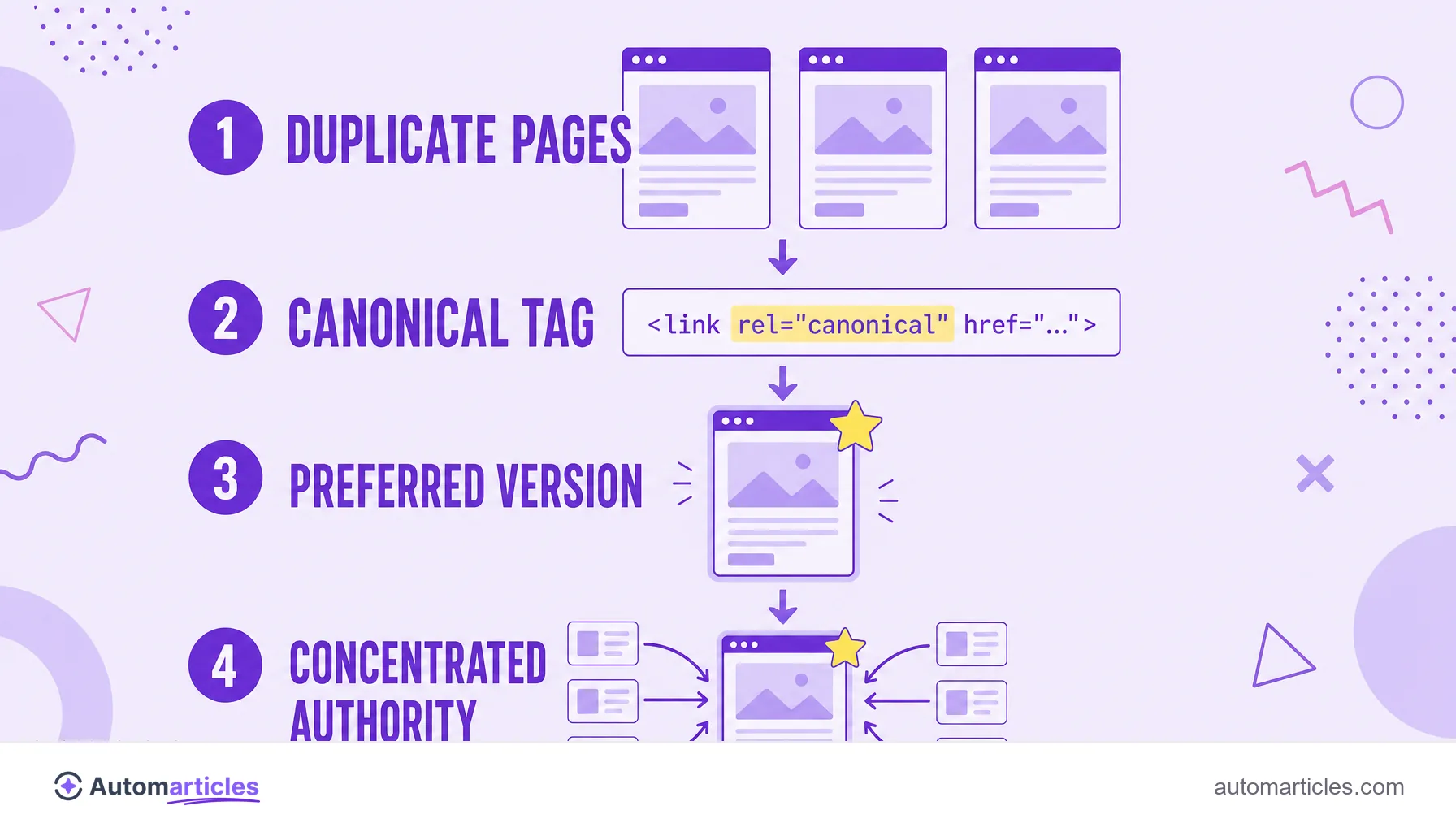
A canonical URL is the preferred version of a page that the search engine should index when duplicate addresses exist. In practice, the canonical URL:
- is signaled by the rel=canonical tag in the page's HTML;
- tells Google which address to treat as the original;
- concentrates the authority of the links on that version;
- solves duplicate content without removing the other pages.
What a canonical URL is
A canonical URL is the address you choose as the official version of a page when the same content, or very similar content, can be reached through more than one URL. Instead of letting the search engine decide on its own which one to show, you point to the preferred one, and the rest are treated as copies that refer back to the original.
The signal is given by a tag called rel="canonical", placed in the HTML head of the duplicate pages. It works as a note to the search engine: the version that counts for indexing and ranking is this one, not the others. The term comes from canonical, in the sense of official, the one that serves as reference.
A word of caution about vocabulary: you will find canonical, canonical tag and canonical URL all talking about the same thing. They all refer to the same mechanism of choosing and signaling the main version of a piece of content.
Why duplicate content is a problem
Duplicate content happens when the same text appears at different addresses, whether through versions with and without www, tracking parameters, product pages that repeat or print versions. For the search engine, this creates a doubt: which of these URLs should appear in the results?
The problem is more common than it seems. A study by Semrush, which analyzed 100,000 sites and 450 million pages, pointed to duplicate content as the most frequent SEO issue, present on about half of the sites reviewed. In other words, it is a trap that catches most projects at some point.
When Google finds several copies with no guidance, it may split the strength of the links between them, choose the wrong version to display or simply spend crawl budget visiting redundant pages. The canonical URL solves this by concentrating the signals on a single address.
How the canonical tag works
The canonical tag is a simple line in the HTML, but its effect is large. The format is this: <link rel="canonical" href="https://yoursite.com/official-page">, inserted inside the <head> section of each duplicate version, pointing to the preferred URL.
When it reads this markup, the search engine consolidates the duplicate pages onto the canonical one. In practice, this means the strength passed by the links (the so-called link juice) and the relevance measured by algorithms like PageRank concentrate on the official address, instead of splitting between copies.
Two points deserve attention. First, the canonical tag is a strong suggestion, not an absolute order: Google may choose another version if the signals point there. Second, a page can point to itself as canonical, a recommended practice to make clear which is the main version.
Canonical URL, redirect and noindex: when to use each
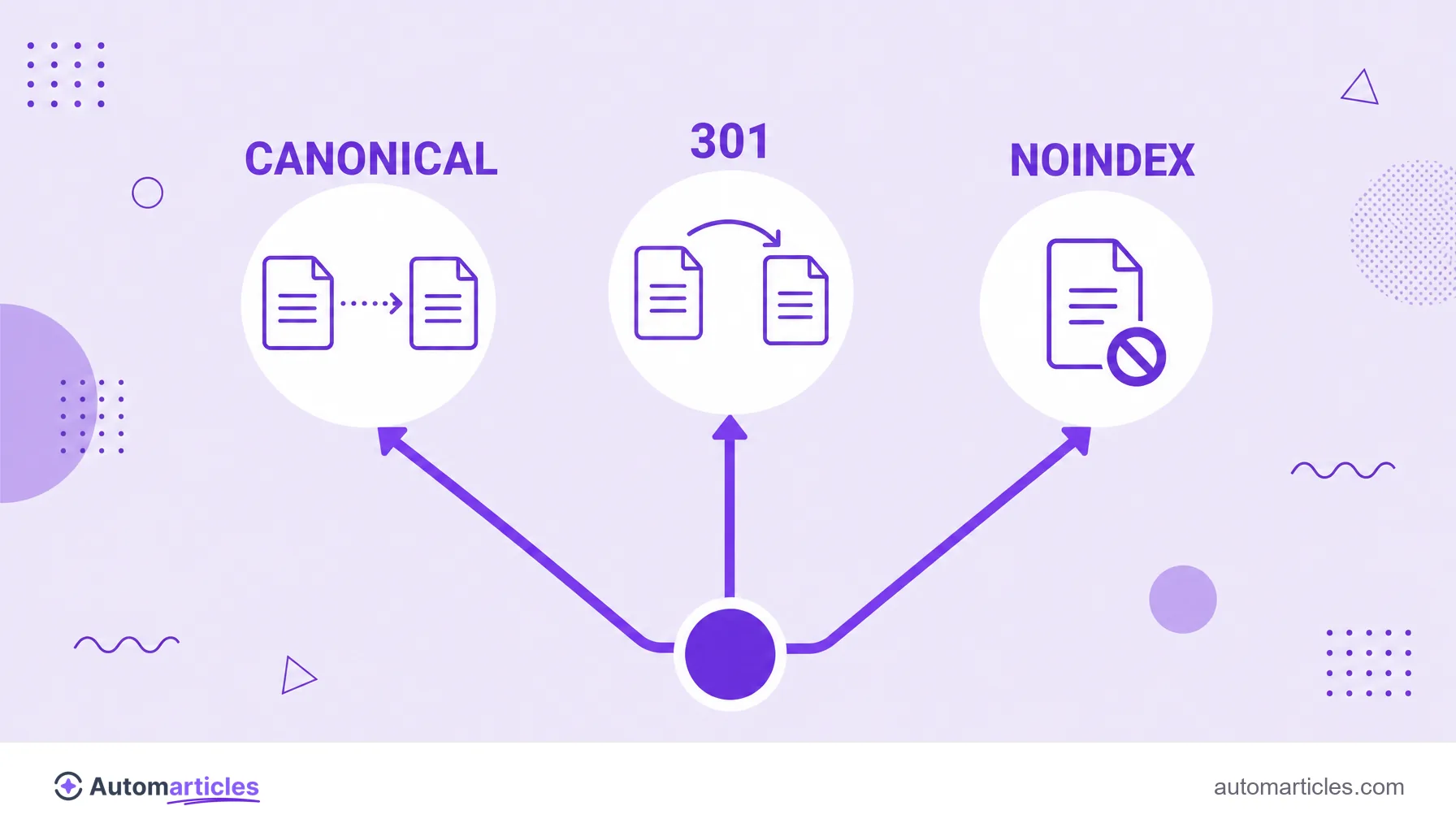
Canonical is not the only way to deal with similar pages, and picking the wrong tool costs traffic. The general rule separates three situations:
| Situation | Ideal tool |
|---|---|
| Duplicate content that should stay accessible | Canonical tag pointing to the preferred version |
| Page that changed address permanently | 301 redirect |
| Page that should not appear in search at all | Noindex directive |
The difference matters: canonical keeps both pages live and simply points to the preferred one; the 301 redirect takes the user and the search engine to the new address; and noindex removes the page from results without consolidating authority. Mixing canonical with noindex on the same page, by the way, sends contradictory signals and should be avoided.
Common mistakes with the canonical tag
The canonical tag is powerful precisely because it is easy to get wrong. The most frequent slips are:
- Pointing to the wrong URL: canonicals that refer to missing, broken or irrelevant pages confuse the search engine.
- Canonical chains: page A points to B, which points to C, creating a loop that weakens the signal.
- Blocking the canonical in robots.txt: if the search engine cannot crawl the preferred URL, it does not read the instruction.
- Ignoring URL parameters: filters and sorting generate many addresses that need a canonical, as the entry on URL parameters explains.
- Confusing it with hreflang: versions in different languages are not duplicates and should use hreflang, not a canonical from one to the other.
A famous Google Search Console message, the one saying the search engine chose a canonical different from the one declared, usually comes from exactly these mistakes: the page's signals contradict the tag.
How to check the canonical URL of a page
Checking whether the canonical is correct is quick and prevents ranking surprises. A simple routine:
- View the source code: look in the HTML for the rel="canonical" line and confirm which URL it points to.
- Use URL inspection: the URL inspection tool shows the canonical declared by the page and the one Google actually chose.
- Follow the indexing report: in Google Search Console, you can see which pages were consolidated onto another canonical.
- Check consistency: make sure the canonical, the sitemap and the internal links all point to the same preferred version.
When the declared canonical and the one Google chose match, it is a sign the page is sending clear signals. When they diverge, it is worth investigating which signal is pulling the search engine toward another URL.