
What the 404 error is and how to fix it
By Tiago CostaUpdated on July 2, 2026

The 404 error (Not Found) is the HTTP code that a server returns when it cannot find the page at the requested address. The most common reasons are:
- the URL was mistyped;
- the page was deleted and not redirected;
- the page address (the slug) changed;
- an internal or external link points to a destination that no longer exists.
What the 404 error is (page not found)
The 404 error, or Not Found, is a server response that is part of the HTTP status codes. Every time the browser requests a page, the server answers with a three digit number: 200 when everything is fine, 301 when the page changed address, and 404 when it finds nothing at that URL.
The first digit indicates the category of the code. Those starting with 4, like 404, are client side errors, meaning the request reached the server but the requested resource is not there. It is not a connection failure nor a site outage: the server is up and answers precisely to say that the page was not located.
There is a legend that the name comes from room 404 at CERN, where the first web servers supposedly sat. It is just a myth: 404 is simply the code reserved, in the HTTP standard, for the case of a resource not found.
Why the 404 error happens
A 404 almost always means there is a mismatch between the requested address and what actually exists on the server. The most common causes are:
- Removed page: content was deleted and nothing was put in its place.
- Changed URL: the page address (the slug) changed and the old one was not redirected.
- Typo: someone typed the wrong URL or a link was written with an extra character.
- Broken link: an internal link or a link from another site points to a destination that no longer exists.
- Botched migration: a platform or domain switch left old addresses with no match.
Notice the difference in severity: a 404 from a mistyped URL is harmless, but a 404 on a page that used to rank and receive links is a leak of traffic and authority.
404 errors and SEO: do they hurt rankings?
Having 404 pages does not penalize a site on its own. Google understands that addresses come and go all the time, and returning 404 for something that does not exist is the correct behavior. The problem shows up when those 404s are on pages that matter.
The real harm of poorly handled 404s is threefold: the authority of the links that pointed to the page is lost, the user who clicked hits a dead end and leaves, and crawling is wasted. When many broken addresses eat up the crawl budget, the search engine spends time on dead ends instead of crawling your new content.
This risk grows over time. A link rot study by Ahrefs estimated that at least 66.5% of the links pointing to sites over the nine years analyzed were already dead, which shows how pages disappear and turn into 404s on a huge scale. The good news: when the content merely moved, a 301 redirect recovers much of that authority and sends the user straight to the new address.
404, soft 404 and 410: what is the difference
Not every page not found error is the same. It is worth telling apart three situations that Google treats differently:
| Code | What it means | When to use |
|---|---|---|
| 404 Not Found | The page was not found and may come back in the future. | Removed content or a nonexistent URL. |
| 410 Gone | The page was permanently removed and will not return. | Content deleted for good, which you want out of the index faster. |
| Soft 404 | The page returns status 200 (ok) but shows error content. | A situation to avoid: it confuses Google. |
The most problematic case is the soft 404, when the page says not found to the user but answers 200 to the search engine. That sends a contradictory signal and makes Google spend crawling on empty pages. Whenever a page does not exist, the server should answer 404 (or 410), and never 200.
How to fix the 404 error step by step
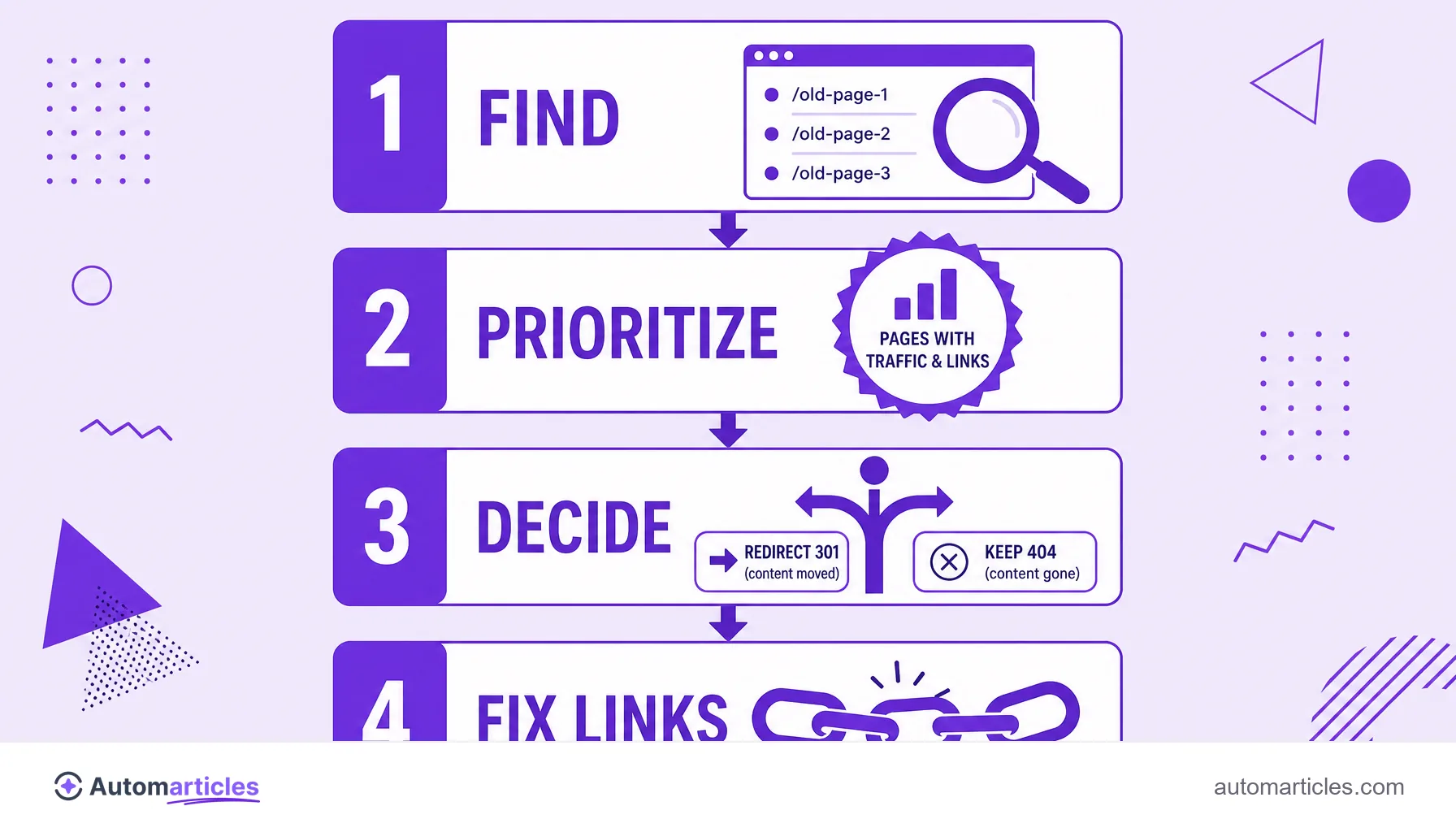
Fixing 404s is less about erasing the error and more about deciding the right destination for each address. A workflow that works:
- Find the 404s: use the pages report in Google Search Console and a crawler (such as Screaming Frog or the Ahrefs Site Audit) to list the URLs with errors.
- Prioritize: start with the ones that had traffic, backlinks or many internal links pointing to them.
- Decide the destination: if the content moved, apply a 301 redirect to the equivalent page; if it is gone for good, leave the 404 (or use 410).
- Do not redirect everything to the home: sending all 404s to the homepage confuses the user and Google often treats it as a soft 404.
- Fix the broken links: update the internal links that pointed to the dead address.
After acting, follow Search Console for a few weeks to confirm that the important errors are gone and the redirects were recognized, as the Google Search Central documentation advises.

How to build a good custom 404 error page
Some 404s are unavoidable, so it pays to turn the dead end into a point of reorientation. A good 404 page keeps the user on the site instead of pushing them away. Focus on:
- A clear, friendly message: explain that the page was not found, without technical jargon.
- Menu and search: keep the header, the navigation and a search box so the person can continue.
- Useful links: offer shortcuts to the home and to the most popular content.
- Visual identity: use the look of your site, with a touch of humor if it fits the brand.
One decisive technical detail: no matter how pretty it is, this page needs to keep answering with the 404 code. If it answers 200, you create exactly a soft 404. The goal is to help the visitor while telling the search engine the truth.