
Internal link: what it is and how to use it in SEO
By Tiago CostaUpdated on July 2, 2026
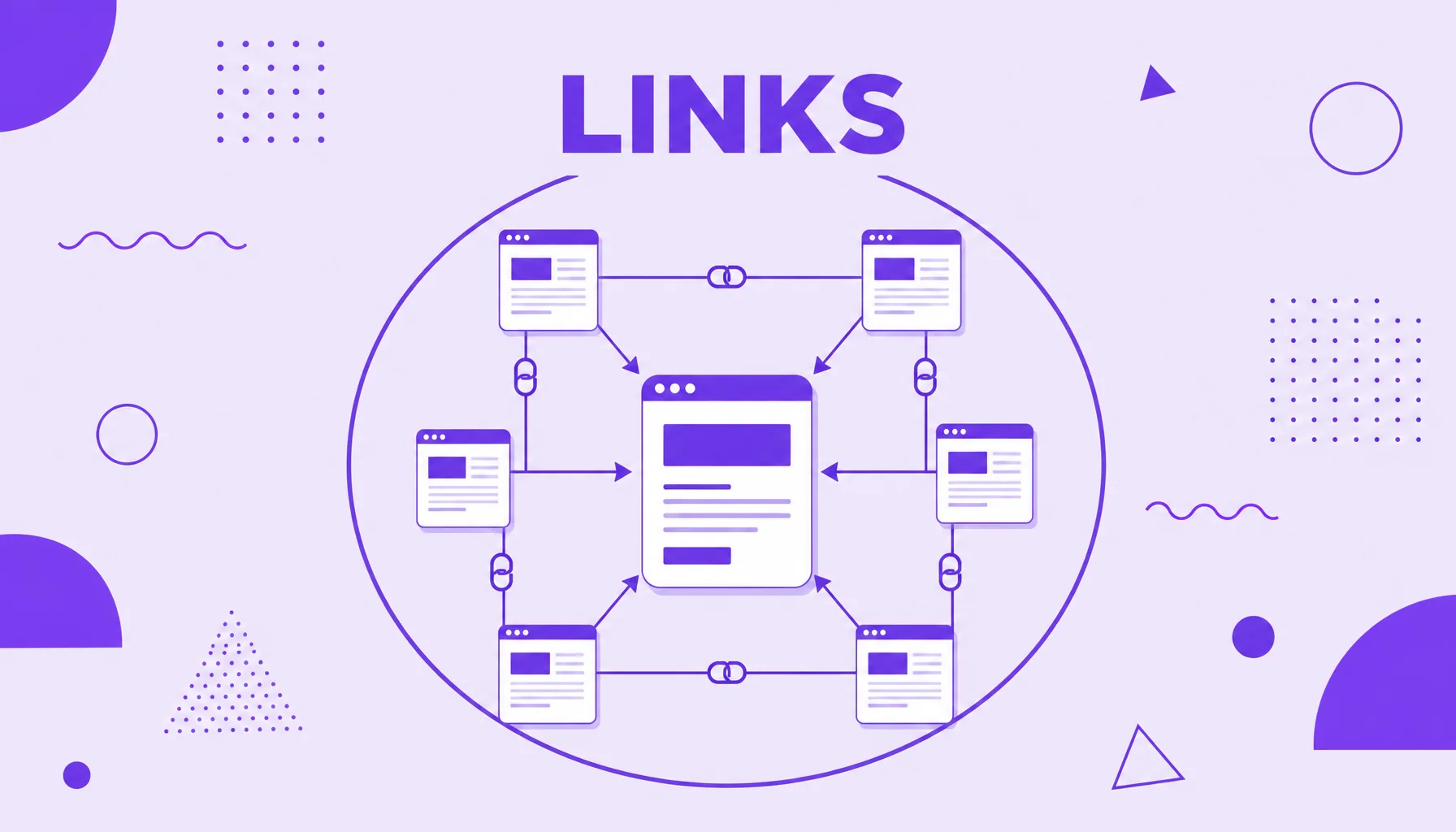
An internal link is a link that points from one page to another within the same site. It serves to:
- guide the visitor between related pieces of content;
- distribute authority among the pages of the domain;
- help Google discover and crawl pages;
- give context about the topic through the anchor text.
What an internal link is
An internal link is any link that points from one page to another within the same domain. When an article on your blog cites and links to another article on the same site, that is an internal link. When it links to a different site, then it is an external link.
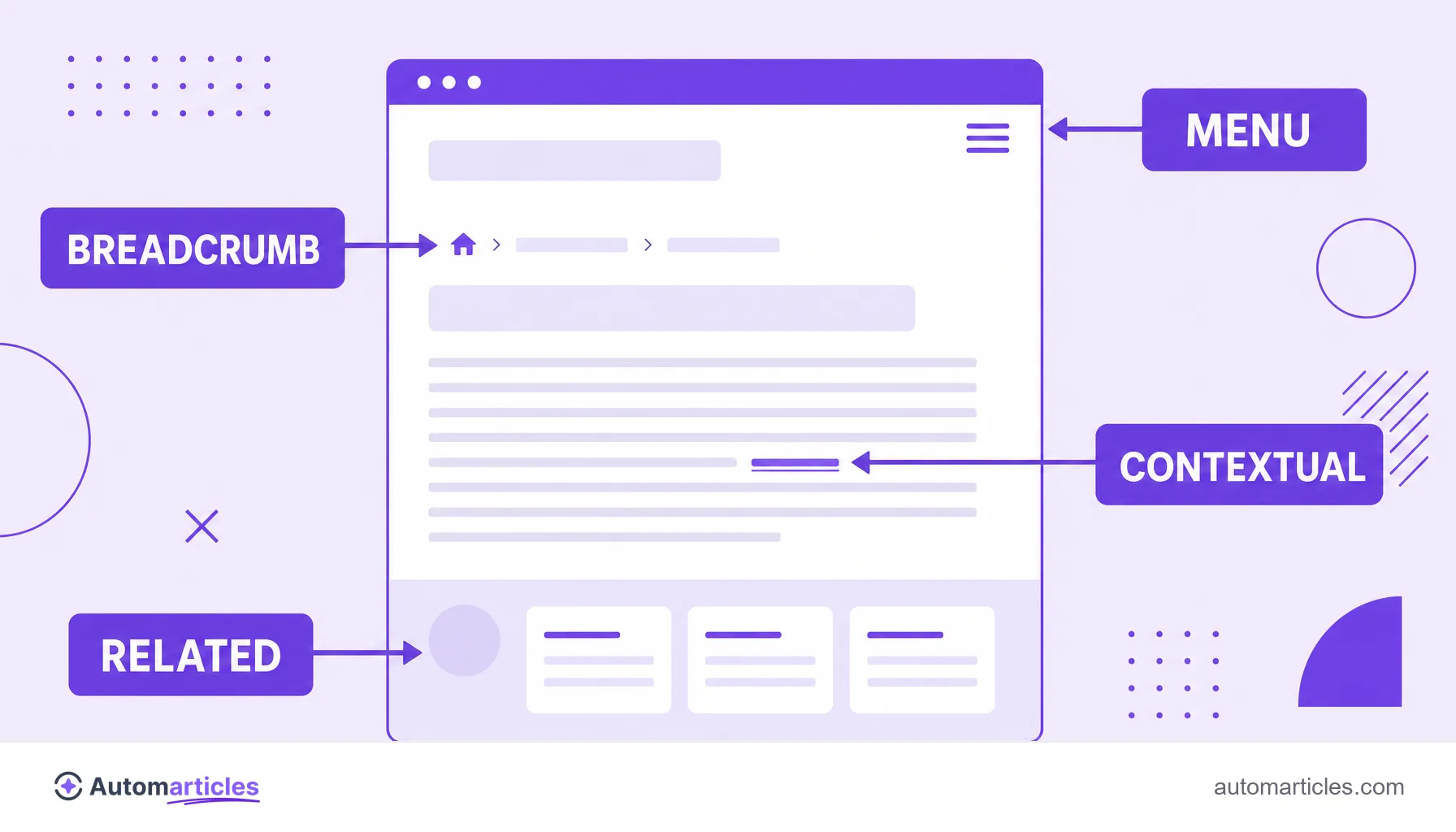
In practice, internal links are the mesh that stitches a site together. It is through them that a person (or a search engine) leaves the home page and reaches a specific article, or jumps from one piece of content to another related one. The menu, the footer, the breadcrumb and the links in the middle of the text are all examples of internal linking.
Each internal link is made of two elements: the destination (the URL it points to) and the anchor text (the clickable and visible part). The anchor text matters a lot, because it gives the reader and Google a clue about what the person will find on the other side.
Internal link vs external link: what is the difference
The difference between an internal and an external link is in the destination. The internal one leads to another page on your own site; the external one leads to a third party site. The two have distinct and complementary roles in SEO:
| Aspect | Internal link | External link |
|---|---|---|
| Destination | Another page on the same domain | A page on another domain |
| Control | Total, you create it | Depends on other sites |
| Main function | Distribute authority and organize the site | Give reference and earn trust |
| When a site points to you | Does not apply | Becomes a backlink |
A note on the names. When another site creates a link to yours, from their point of view that is an external link, but from your point of view it is a backlink, one of the strongest SEO signals. Internal links, on the other hand, are entirely controlled by you, which makes them a powerful and cheap lever to work with in house.
What internal links do for SEO
Internal links work on three fronts at the same time, and that is why they weigh so much in SEO:
- They distribute authority: part of a page's strength (the so called link juice) flows through internal links to the pages they point to, helping to reinforce what is most important. It is the same logic of links that gave rise to PageRank.
- They help crawling and indexing: search engines discover pages by following links. A page with no internal link pointing to it (an orphan page) is hard to find and may not even enter the index.
- They give context: the anchor text and the source page help Google understand what the destination is about, reinforcing relevance for certain topics.
There is evidence that this reflects on traffic. A Zyppy study that analyzed 23 million internal links across 1,800 sites found a positive relationship between the number of internal links and a page's traffic, with the effect growing up to around 40 to 50 links per page, the point from which it starts to reverse. The practical reading: internal links help, but in excess and without criteria they stop adding up.
How to make an internal link in HTML
Technically, an internal link is the same element as any link: the <a> tag (for anchor) with the href attribute pointing to the destination URL. The difference is that, in the internal link, that destination is a page on the site itself.
A simple example of an internal link would look like this:
<a href="/blog/what-is-seo">complete SEO guide</a>
In this case, the anchor text is complete SEO guide and the href points to an internal page. You can use a relative path, starting with a slash, or the full address with the domain. Some important care points:
- Point to the final URL: avoid pointing to versions that redirect, so you do not waste authority on unnecessary hops.
- Prefer contextual links: a link in the middle of a paragraph, with a descriptive anchor, usually counts more than a loose link in the footer.
- Do not force the nofollow attribute: on normal internal links, let the search engine follow the link naturally.
Done this way, the link plays both roles at once: it takes the person to the right content and signals to Google the relationship between the two pages.
Types of internal links on a site
Not every internal link is the same. They appear in different places and serve distinct functions:
- Navigation links: those in the main menu and footer, which appear on every page and give access to the most important sections.
- Contextual links: the ones inserted in the middle of the content, inside sentences. These are the most valuable for SEO, because they have a descriptive anchor and topical relevance.
- Breadcrumb: that sequence of the home greater than category greater than article type, which shows where the person is and links back to the upper levels.
- Related page links: blocks of see similar content at the end of an article.
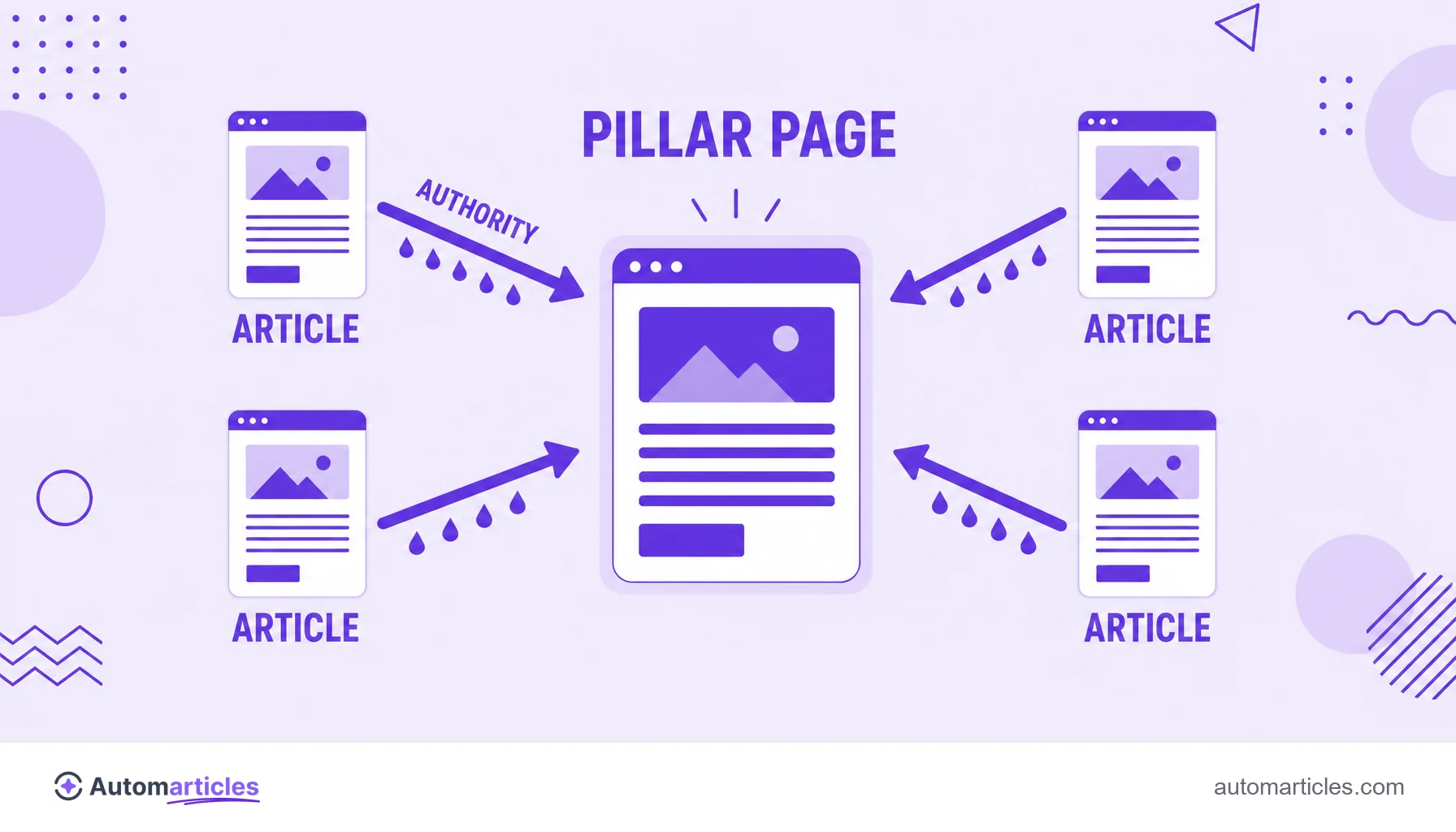
A well thought out internal structure usually follows the logic of content clusters, in which several articles on the same topic link to a central pillar page and to each other. This concentrates authority on the main content and shows Google that the site covers the subject in depth.
Internal linking best practices
Internal links pay off more when they follow a few simple principles. A practical checklist:
- Link content that is truly related: the link needs to make sense to the reader, not exist just to fill space.
- Use descriptive and varied anchor text: describe the destination in natural words, avoiding always repeating the same exact anchor. The same Zyppy study pointed out that anchor text variety has a strong relationship with more clicks.
- Do not leave orphan pages: make sure every important piece of content receives at least a few internal links.
- Prioritize strategic pages: direct more internal links to the content you most want to see rank.
- Mind crawling: a good internal mesh helps make good use of the crawl budget and lead the search engine to the right pages.
In the end, internal linking is one of the best value tasks in SEO. It does not depend on third parties, you control it fully and, done with criteria, it improves both the reader's experience and how search engines read your site.