
301 redirect: what it is and when to use it
By Tiago CostaUpdated on July 2, 2026

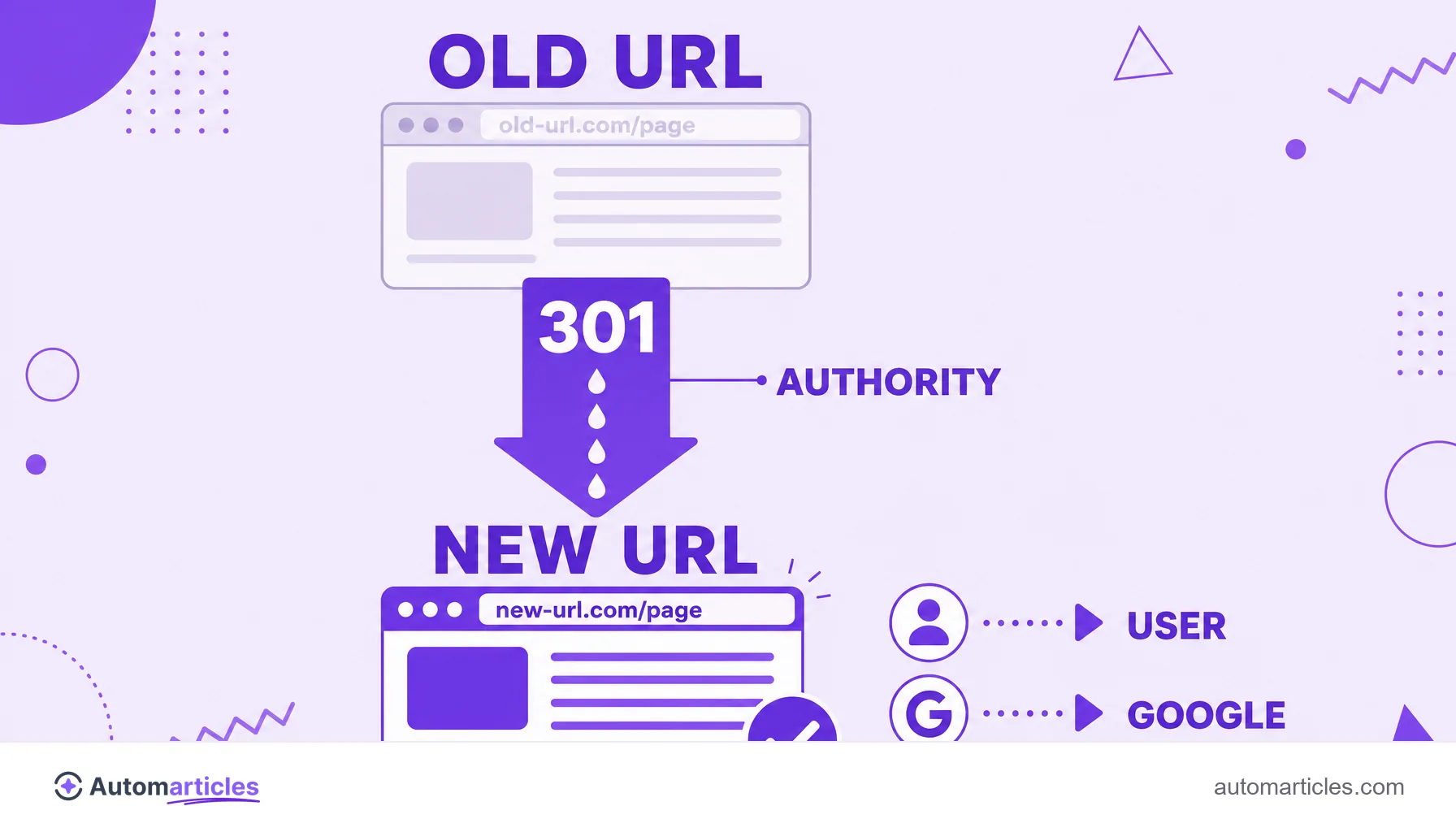
The 301 redirect is the permanent redirect that points an old URL to a new one. In practice, it:
- takes user and search engine straight to the new address;
- signals that the change is definitive;
- passes most of the old URL's authority;
- is the right way to change URL, domain or structure without losing SEO.
What a 301 redirect is
A 301 redirect is a server instruction that tells browsers and search engines that a page changed address permanently. The number 301 is the HTTP status code reserved for moved permanently: when someone visits the old URL, they are taken automatically to the new one, without seeing any error page.
Imagine you moved house and left the post office an order to forward all your mail to the new address. The 301 does exactly that on the web: it makes sure whoever looked for the content in the old place reaches the new one, and it tells Google to update its records.
That is the big difference from simply deleting a page. Without the redirect, the old URL would respond with a 404 error, frustrating the visitor and wasting all the reputation that address had built up.
301 redirect vs 302: what is the difference
Both redirect, but they communicate opposite intentions to the search engine. Compare:
| Code | Message | SEO effect |
|---|---|---|
| 301 | Permanent change of address. | Passes authority to the new URL, which starts to rank. |
| 302 | Temporary change, the old one will return. | Keeps the old URL in the index, without transferring strength for good. |
The wrong choice is expensive. Using a 302 redirect when the change is definitive makes Google keep betting on the old URL and delays consolidating the new one. The rule is simple: if you do not intend to go back to the old address, use 301.
When to use a 301 redirect
The 301 is the standard tool whenever content changes address for good. The most common cases:
- Domain change: when migrating from site.com to newsite.com, redirect each page to its equivalent.
- Migration to HTTPS: point all http versions to their matching https ones.
- URL or slug change: when you rewrite an article's address, take the old one to the new.
- Content consolidation: when merging two similar pages, redirect the weaker one to the stronger.
- Standardizing variations: unify versions with and without www, or with and without a trailing slash, into a single address.
When the duplication is identical content that needs to stay accessible, the path is not the 301, but the canonical URL, which tells Google the preferred version without taking the others down.
How to set up a 301 redirect
The setup depends on your technology, but the logic is always to point the old address to the new one. The most used paths:
- Apache (.htaccess): use Redirect 301 /old-page https://site.com/new-page or RewriteRule rules.
- Nginx: configure return 301 https://site.com/new-page; in the server block.
- WordPress: plugins like Redirection or the SEO features let you create a 301 from the dashboard, without touching code.
- Hosts and CMSs: most offer a ready made redirects panel.
After setting it up, test each redirect with a header inspection tool to confirm the returned code is really 301 (and not 302) and that the destination is correct. Redirects are so common they become a silent risk: a study by Ahrefs across more than a million domains found 3xx redirects present on 95.2% of the sites analyzed, which reinforces the importance of keeping them organized.
301 redirect and SEO: what happens to authority
The great SEO advantage of the 301 is preserving the page's reputation. The authority accumulated by a URL, often called link juice, is transferred to the new address, which inherits much of the link history and ranking of the old one.
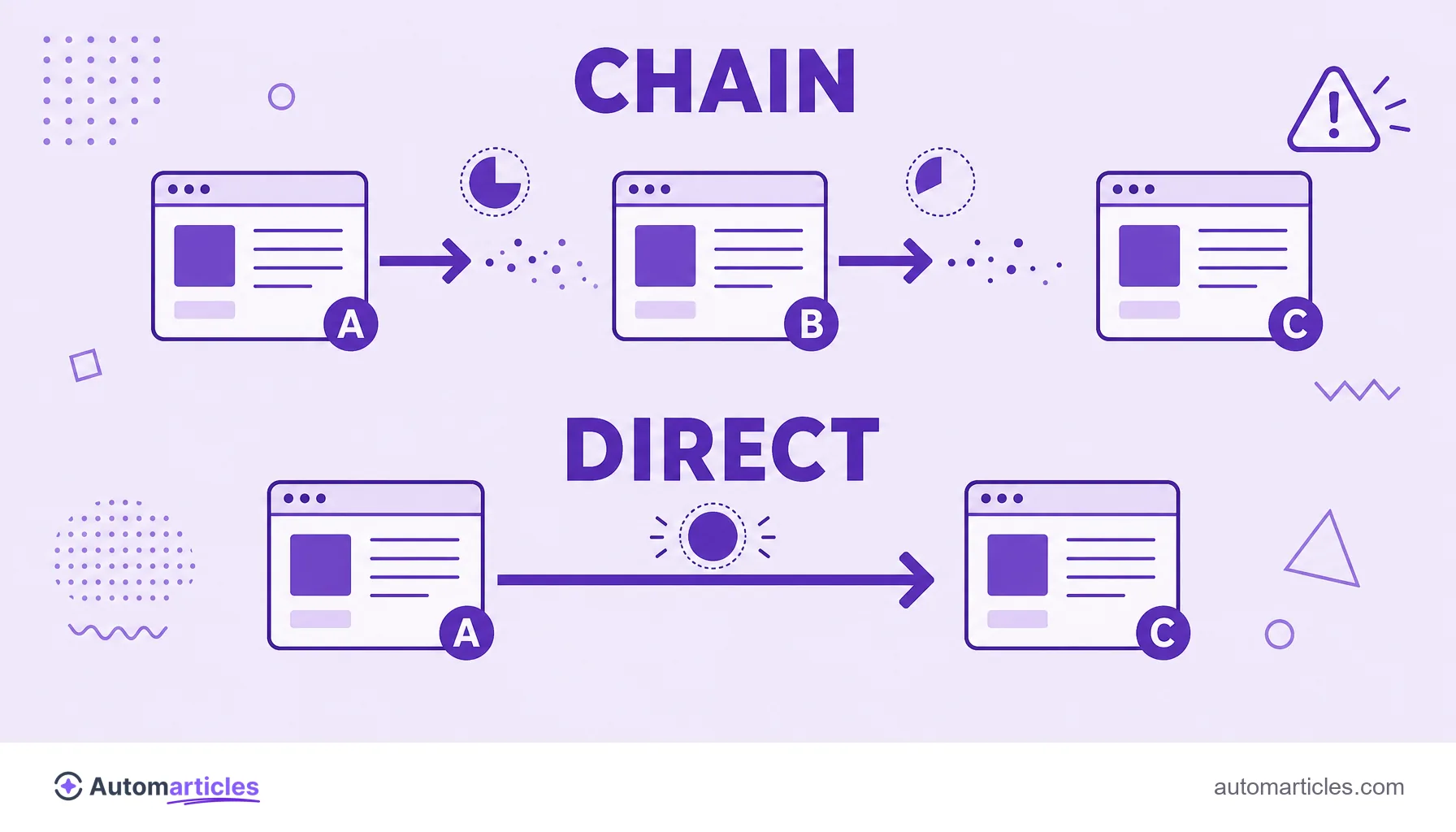
For a long time people said the 301 leaked around 15% of that strength. Google itself has publicly stated that 3xx redirects no longer lose PageRank, so, in practice, a well done 301 preserves almost all the authority. What still drains value is excess: a redirect chain, where URL A leads to B, which leads to C, makes the search engine jump several steps, slows loading and can dilute signals.
That is why the ideal is always to redirect straight to the final destination, in a single hop, and to point to the most equivalent page possible, not to the homepage. The more relevant the destination, the more of the original value Google considers applicable.
Common mistakes when using a 301 redirect
A poorly planned 301 hurts instead of helping. The most frequent slips:
- Redirecting everything to the homepage: sending different pages to the home confuses the user and Google usually treats it as a soft 404.
- Creating long chains: several redirects in a row waste crawling and speed. Always point to the final destination.
- Using 302 by mistake: a temporary redirect in place of a permanent one keeps the new URL out of the index.
- Forgetting internal links: even with the 301 live, update your own site's links to point straight to the new address.
- Redirecting to irrelevant content: taking the user to a page unrelated to what they searched for raises the bounce rate.
Used well, 301s are the backbone of any safe migration. Used badly, they become a silent source of lost traffic.