
What JSON-LD is and how to use it in structured data
By Tiago CostaUpdated on July 2, 2026
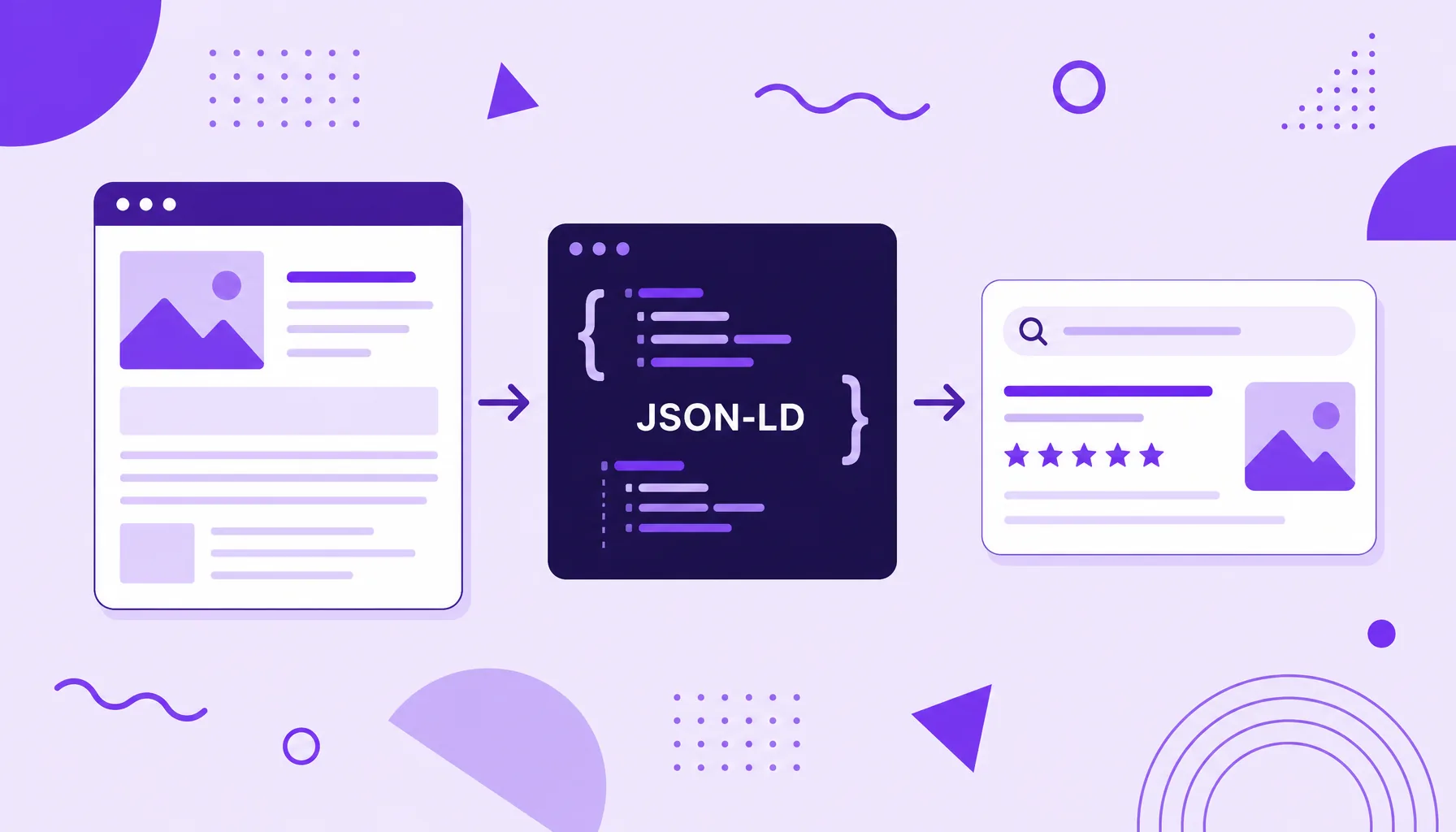
JSON-LD (JavaScript Object Notation for Linked Data) is the recommended way to write structured data. In practice, it:
- lives in a separate script block, without cluttering the visible HTML;
- uses the Schema.org vocabulary to label each piece of information;
- tells Google whether a snippet is an author, a price, a rating or a date;
- enables rich results (stars, FAQ, image) on the results page.
What JSON-LD is
JSON-LD stands for JavaScript Object Notation for Linked Data, a format for describing data in a way that both humans and machines can read. In the SEO context, it plays a very specific role: it is the recommended way to add structured data to a page, inside a script block.
The core idea is to give explicit meaning to the content. For a person, the phrase "article written by Ana Silva on May 12" is clear. For the search engine, it is just text. With JSON-LD, you label "Ana Silva" as the author (author) and the date as datePublished, and Google starts to understand it as trustworthy metadata, and can show the author and the date in the result.
It helps to separate two meanings. For developers, JSON-LD is a W3C standard used in any exchange of linked data. For SEO, it is above all the vehicle for schema markup: the envelope where the Schema.org vocabulary is written to generate rich results.
How JSON-LD works
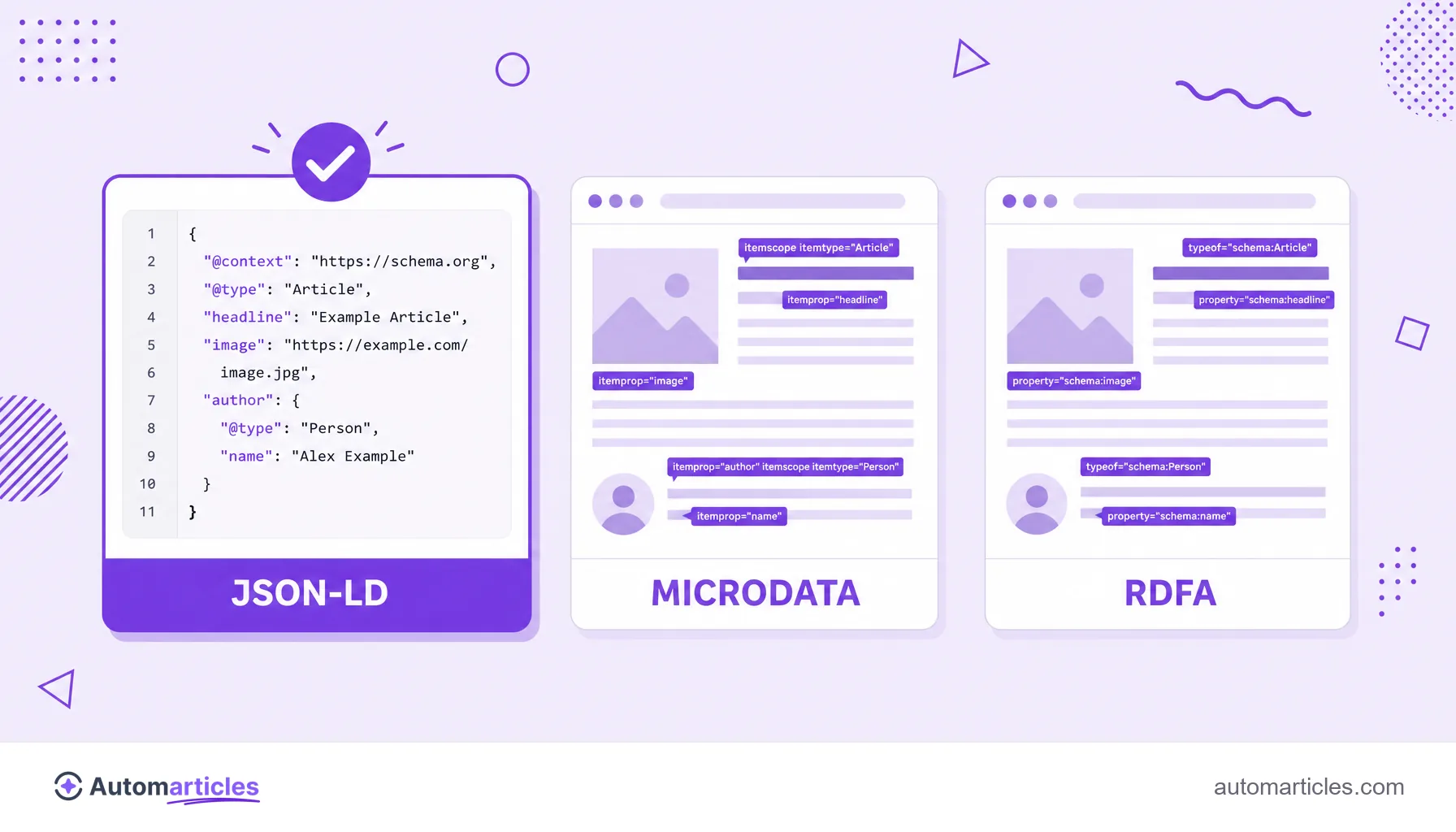
A JSON-LD for SEO lives inside a <script type="application/ld+json"> tag, usually in the head or at the end of the page body. Because it stays isolated from the visible HTML, it does not interfere with the layout and is easy to maintain, which is exactly why Google prefers it.
Every block starts with two required keys. The @context property points to the vocabulary used (almost always Schema.org), and the @type property defines what the page is (an Article, a Product, a FAQPage). From there, you fill in the properties of that type, such as name, author, price or datePublished.
The flow is straightforward: the crawler reads the page, finds the JSON-LD block, interprets each property and, if the content is eligible, shows an enhanced feature in the result. The same data also helps feed the knowledge graph, connecting entities such as people, brands and products.
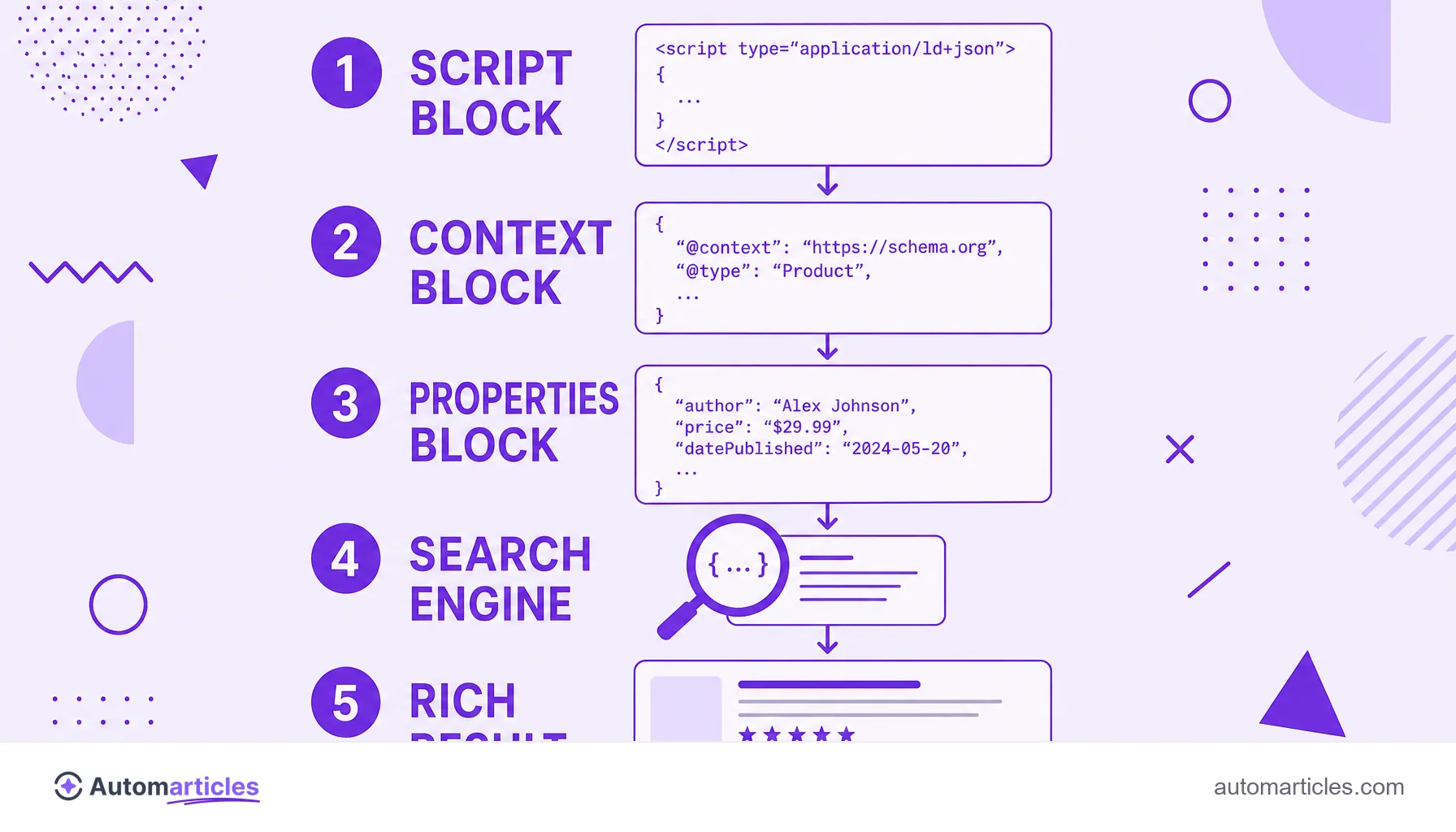
JSON-LD, Microdata and RDFa: why Google prefers JSON-LD
The Schema.org vocabulary can be written in three different syntaxes. Understanding the differences helps you pick the one with the least effort and the fewest errors.
| Format | Where it sits | Maintenance |
|---|---|---|
| JSON-LD | In a script block separate from the content. | Easy, does not depend on the visible HTML. |
| Microdata | In attributes scattered across the HTML tags. | Laborious, breaks with layout changes. |
| RDFa | In attributes inside the tags, like Microdata. | Laborious and more verbose. |
Google officially recommends JSON-LD precisely because it keeps the markup separate from the content, as the Google Search Central documentation explains. And the market followed that path: according to the 2024 Web Almanac, by HTTP Archive, JSON-LD already appears on 41% of the pages analyzed (up from 34% in 2022) and is the fastest growing format.
A practical JSON-LD example
Nothing explains it better than seeing the code. Below, a minimal example of marking up a blog article with JSON-LD:
- @context: "https://schema.org", the vocabulary used.
- @type: "Article", saying the page is an article.
- headline: the title of the article.
- author: an object of type Person with the name of whoever wrote it.
- datePublished: the publication date in ISO format (for example 2026-05-12).
In practice, this block goes inside a script tag in the HTML. Each Schema.org type has required and recommended properties, and filling in the recommended ones too, not just the minimum, greatly increases the chance of the rich result being displayed. The same type of page usually reuses the same markup template, changing only the values.
How to create and validate your JSON-LD step by step
You do not need to write everything by hand. A routine that works for most sites:
- Choose the right type: identify what the page represents (an article, a product, a FAQ) and select the matching type on Schema.org.
- Generate the block: use a JSON-LD generator or an SEO plugin. On platforms like WordPress, extensions insert the markup automatically.
- Fill it with real data: never mark up a review or a price that does not exist on the page, because that violates the guidelines and can trigger a penalty.
- Validate before publishing: run the block through Google's Rich Results Test and the Schema.org validator to catch errors and warnings.
- Monitor in Search Console: follow the enhancements report to see which pages are eligible and fix issues.
Once published, the search engine needs to crawl the page again to recognize the markup, so rich results can take a few days to appear.
JSON-LD, SEO and AI visibility
JSON-LD is not a direct ranking factor, but it works in favor of SEO in two ways. First, it enables rich results, which take up more space, draw more attention and tend to get more clicks. Second, it makes the content clearer to the machine, reducing the chance of the search engine reading the page wrong.
There is also a more recent gain. Generative search engines and AI assistants use the semantic structure to understand and cite content with more confidence. A page well marked up with JSON-LD tends to be easier to summarize and reference inside AI Overviews, adding traditional SEO value to AI optimization. Because it is lightweight, standardized and recommended by Google, JSON-LD has become the technical foundation of any serious technical SEO strategy.