
Schema markup: what it is and how to use structured data
By Tiago CostaUpdated on July 2, 2026

Schema markup is the markup that labels a page's content for search engines. In practice, it:
- uses the standardized Schema.org vocabulary;
- is almost always written in JSON-LD, a block of code in the HTML;
- tells Google what each piece of data is (a price, a rating, an author, a date);
- enables rich results, such as review stars and FAQ, in search.
What schema markup is
Schema markup is a snippet of code you insert into a page's HTML to explain to search engines what that content represents. Instead of letting Google guess whether a number is a price, a rating or a date, you label each piece of information with a clear, machine-readable meaning.
Think of a recipe article. For a person, the prep time, the review rating and the ingredient list are obvious. For the search engine, all of it is just text on the screen. With schema markup, you tag each of those elements with a specific label, and Google starts to show an enriched preview with stars, prep time and a photo right in the result.
A note on context. In databases, the word schema describes the structure of tables and columns (the well-known SQL schema). In this glossary, schema markup always means data markup for search, a core piece of on-page SEO and of how your content appears on the SERP.
Schema markup, Schema.org and structured data: what is the difference
The three terms show up together all the time and are easy to mix up, but each one has its own role:
- Schema.org: the shared vocabulary, created by Google, Microsoft, Yahoo and Yandex, that defines the types (Product, Article, Recipe, FAQPage) and the properties (name, price, author) that search engines recognize.
- Schema markup: the act of applying that vocabulary in your page's code, that is, the markup itself that you write.
- Structured data: the broader concept of information organized in a standardized format. Schema markup is a specific case of structured data aimed at SEO.
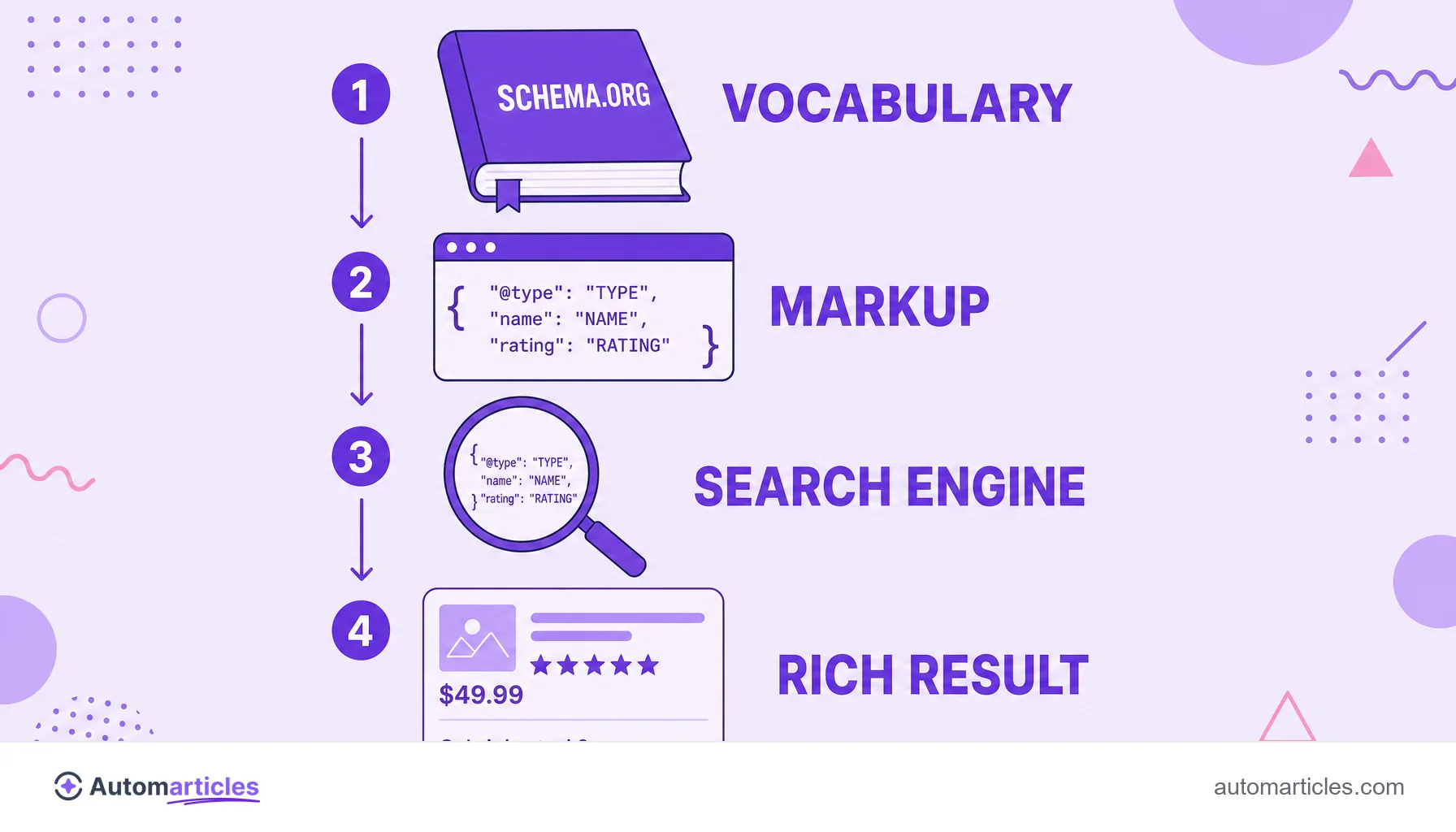
In everyday practice, many people use the three as synonyms, and that is fine. The important thing is to understand that Schema.org is the dictionary, schema markup is the sentence you write with that dictionary, and structured data is the general idea behind it all.
How schema markup works (and why JSON-LD became the standard)
Schema markup can be written in three formats: Microdata, RDFa and JSON-LD. Google recommends JSON-LD, a block in JavaScript Object Notation that stays separate from the visible HTML, usually in the head of the page. It is easier to maintain, does not break with layout changes and can be inserted by plugins or scripts without touching the content.
This format has become the de facto standard of the web. According to the Web Almanac by HTTP Archive, in 2024 JSON-LD was already present on around 41% of the pages analyzed, up from 34% in 2022, which shows the growing adoption of markup as an SEO practice.
The flow is straightforward: the crawler visits the page, finds the schema block, interprets each property and, if the content is eligible, shows an enriched feature in the result. The markup also feeds Google's Knowledge Graph, helping the search engine connect entities such as brands, authors and products.
Schema markup examples: the types that generate rich results
Google only displays rich results for content types it already officially supports. Knowing the most useful ones helps you prioritize the markup effort:
| Schema type | What it is for | Rich result |
|---|---|---|
| Product and Offer | E-commerce products. | Price, availability and review stars. |
| Article | Articles and blog posts. | Prominence in news and editorial content. |
| FAQPage | Questions and answers. | Expanded FAQ in search, boosting the chance of the featured snippet. |
| Recipe | Cooking recipes. | Prep time, calories and rating. |
| LocalBusiness | Local businesses. | Hours, address and phone in the profile. |
| BreadcrumbList | Navigation trail. | Site path instead of the raw URL. |
A simple FAQPage example in JSON-LD describes a question (Question) and the accepted answer (acceptedAnswer), each with its own text. Filling in the recommended properties, not just the required ones, greatly increases the chance of the rich feature being displayed.
How to create and validate your schema markup step by step
Applying schema markup does not have to be complicated. A routine that works for most sites:
- Choose the right type: identify what the page is (an article, a product, a FAQ) and find the matching type on Schema.org.
- Generate the JSON-LD: write the block by hand or use a schema generator. On platforms like WordPress, SEO extensions insert the markup automatically.
- Fill it with real data: never mark up a review or a price that does not exist on the page, because that violates the guidelines and can trigger a penalty.
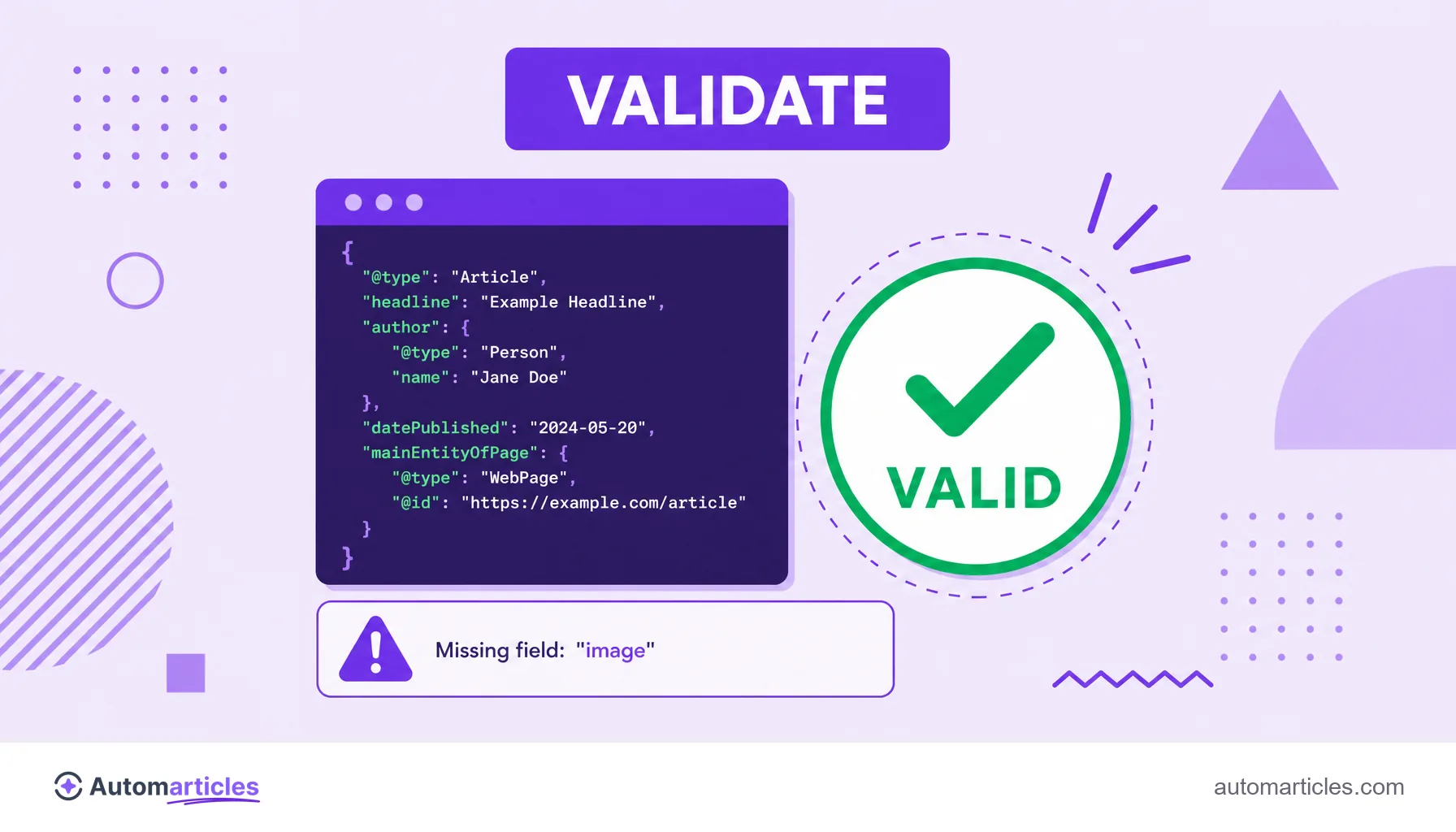
- Validate before publishing: use Google's Rich Results Test and the Schema.org validator to catch errors and warnings.
- Monitor in Search Console: follow the enhancements report to see which pages are eligible and fix issues.
Once published, Google needs to crawl the page again to recognize the markup, so rich results can take a few days to appear. Marking up without validating is the most common mistake: a single missing required field already blocks the feature from showing.
Why schema markup still matters (SEO and AI)
Schema markup is not a direct ranking factor, but it remains very relevant, and for two reasons that have only grown. The first is the classic one: rich results take up more space, draw more attention and tend to improve the click-through rate, an indirect boost to the page's performance.
The second is more recent. Generative search engines and AI assistants use semantic structure to understand and cite content with more confidence. A well marked-up page is easier to interpret, summarize and reference inside AI Overviews, which brings schema markup close to technical SEO and AI optimization at the same time.
In other words, the question "is schema markup still worth it?" has a clear answer: yes, and probably more than before. Describing content explicitly helps both the traditional search engine and AI models trust your page as a source.