
Bounce rate: what it is and how to reduce it
By Tiago CostaUpdated on July 2, 2026

Bounce rate is the percentage of visits that leave a site without interacting with it. In short:
- it measures visits that land and leave with no action;
- in traditional Analytics, it was any single-page session;
- in GA4, it is the inverse of the engagement rate;
- a high rate is not always bad: it depends on the page type and search intent.
What bounce rate is
Bounce rate is the percentage of visits in which the person opens a page and leaves without any interaction measured by the analytics tool. They arrive, look and leave, without opening another page or clicking anything relevant. If 100 people enter your site and 40 leave like that, the bounce rate is 40%.
The metric is used as an indirect signal of quality and relevance. If many people bounce right away, the page may not have delivered what it promised, may be slow or may not match what the person was looking for. That is why it is closely watched by anyone who wants to turn visits into results.
A warning right off the bat: bouncing is not a synonym for failure. Someone who searched for a quick fact, found the answer and left happy also counts as a bounce. The number only makes sense when read together with the type of page and the search intent of whoever arrived.
How to calculate bounce rate
The basic calculation is a simple division: you take the number of visits that left without interacting and divide it by the total number of visits, multiplying by 100 to turn it into a percentage.
- Formula: bounce rate = (visits with no interaction / total visits) x 100.
- Example: 300 visits with no interaction out of 1,000 total visits result in a bounce rate of 30%.
The good news is that you almost never need to do this math by hand. Analytics tools like Google Analytics calculate the metric automatically, by page, by channel and by device. What changes a lot is what each tool considers an interaction, and that is exactly where the definition has evolved.
Bounce rate in GA4: what changed
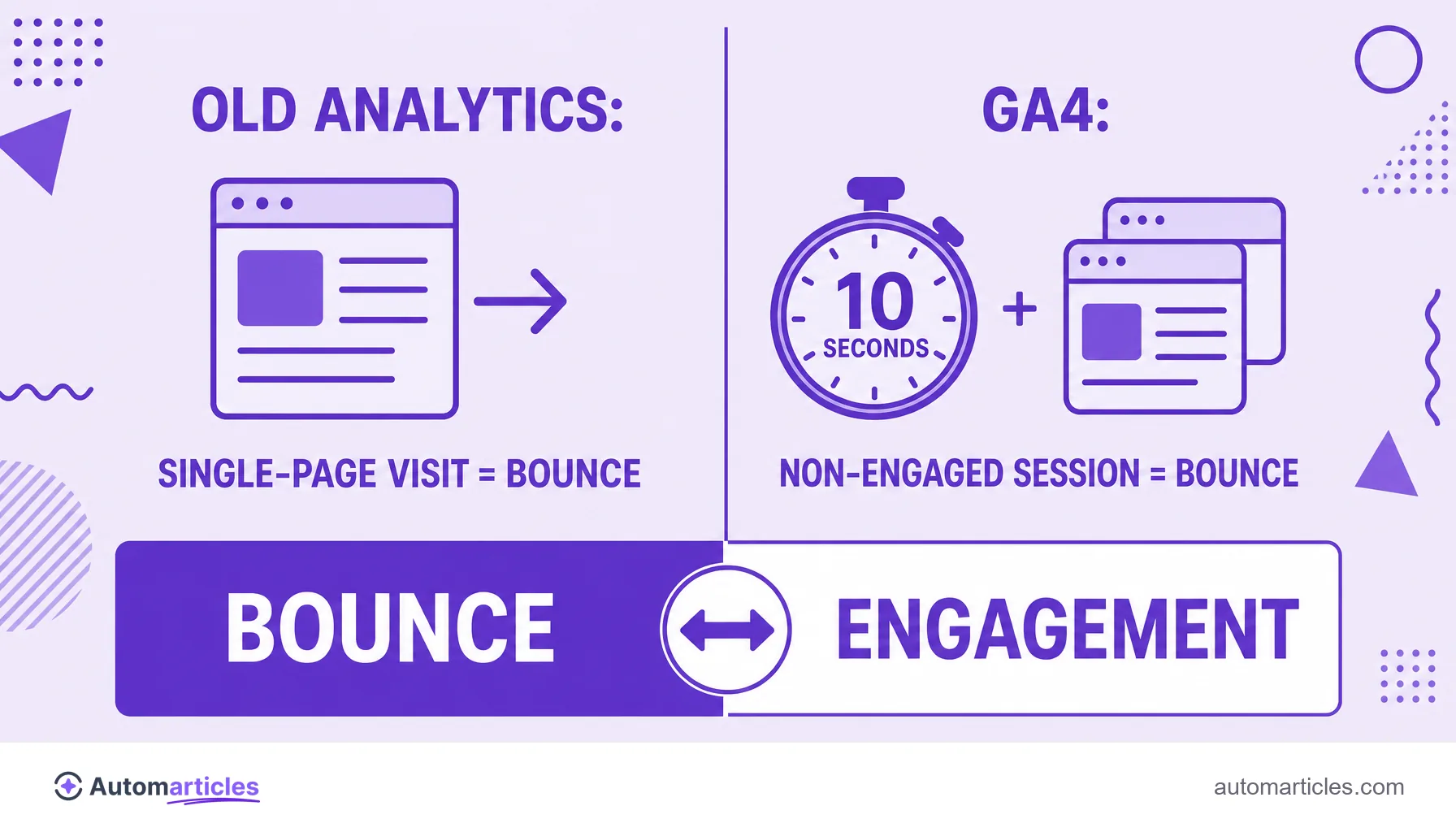
The big turning point came with Google Analytics 4. In the old Analytics (Universal Analytics), any single-page visit with no other click was already a bounce, even if the person spent ten minutes reading the text to the end.
In GA4, the logic flipped. First it defines what an engaged session is: one that lasts more than 10 seconds, or generates a conversion, or has two or more page views. The bounce rate becomes simply the opposite of the engagement rate, that is, the percentage of sessions that were not engaged.
| Aspect | Traditional Analytics | GA4 |
|---|---|---|
| What a bounce is | Single-page visit with no interaction | Non-engaged session |
| Does time matter? | Does not count time on page | Yes, more than 10 seconds already engages |
| Relation to engagement | Separate metric | It is the inverse: 100% minus engagement |
In practice, the GA4 bounce rate tends to be much lower than the old model's, because an attentive reading of more than 10 seconds no longer counts as a bounce. When comparing numbers, always check which definition you are talking about.
What a good bounce rate is
There is no universal magic number. The ideal rate depends on the page's goal and the traffic source. A blog post that answers a specific question can have a high bounce rate and still do its job; a landing page built to convert, on the other hand, needs to hold the visitor and lead them to an action.
As a market reference, the analysis of more than 40 billion sessions by Contentsquare points to an average bounce rate of around 45% to 50% across industries, with higher values on mobile than on desktop. It works as a compass, but never as a blind target.
The most useful reading is always comparative: track the bounce rate of each page over time and across channels. A page with a bounce rate far above its peers, or one that suddenly got worse, is a clear sign that something deserves investigation.
Why bounce rate is high: common causes
When bounce rate is higher than expected, there is almost always a concrete cause behind it. The most common are:
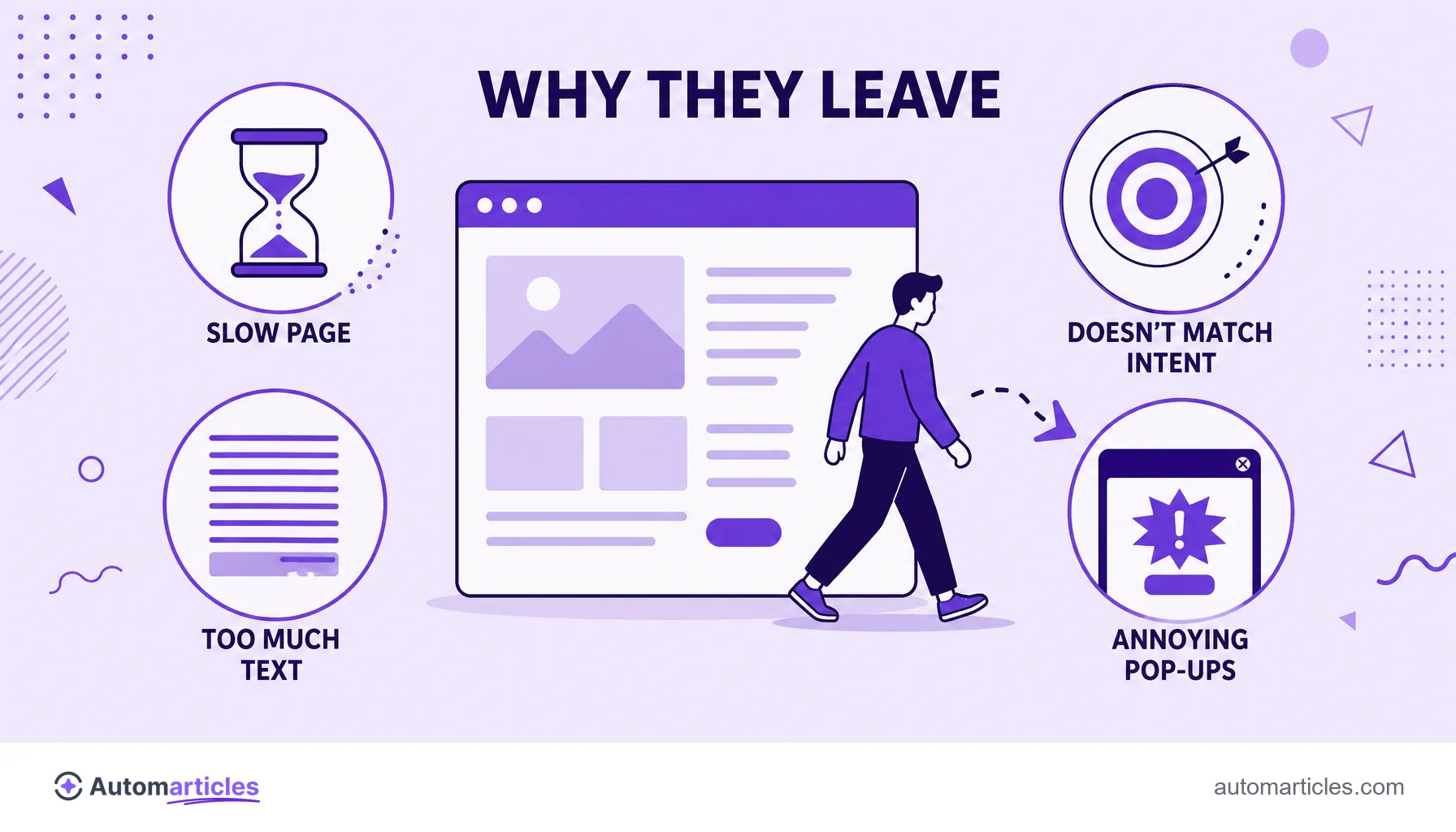
- Slow page: speed is decisive. Poor Core Web Vitals scores drive the visitor away before they even read the content. Portent found that a site loading in 1 second converts about 3 times more than one that takes 5 seconds.
- Unmet intent: the person clicked expecting one thing and found another. The content does not match the title's promise.
- Text that is hard to read: huge blocks with no breathing room are tiring. A lack of scannability and low readability push the visitor out.
- No next step: with no clear path to continue, the visitor reads and leaves, even when satisfied.
- Poor mobile experience: aggressive pop-ups, small buttons and a broken mobile layout greatly increase bounce.
Identifying which of these causes weighs most in your case is what turns a frustrating number into an action plan.
How to reduce your site's bounce rate
Reducing bounce is, at its core, giving the visitor more reasons to stay and move forward. Some adjustments tend to pay off quickly:
- Speed up loading: optimize images, code and server to improve Core Web Vitals and cut exits caused by slowness.
- Deliver what the title promises: align the content with search intent and answer the main question right at the start.
- Make reading easy: use subheadings, lists, short paragraphs and images to make the text scannable.
- Offer the next step: include relevant internal links and a clear CTA to lead the visitor to another page or action.
- Test and improve: ongoing CRO (conversion rate optimization) reveals, with data, what makes the visitor stay.
The positive side effect is big: a page that holds the visitor better tends to convert more and make more efficient use of every organic traffic visit you worked so hard to earn.