
What LCP (Largest Contentful Paint) is and how to improve it in Core Web Vitals
By Tiago CostaUpdated on July 2, 2026
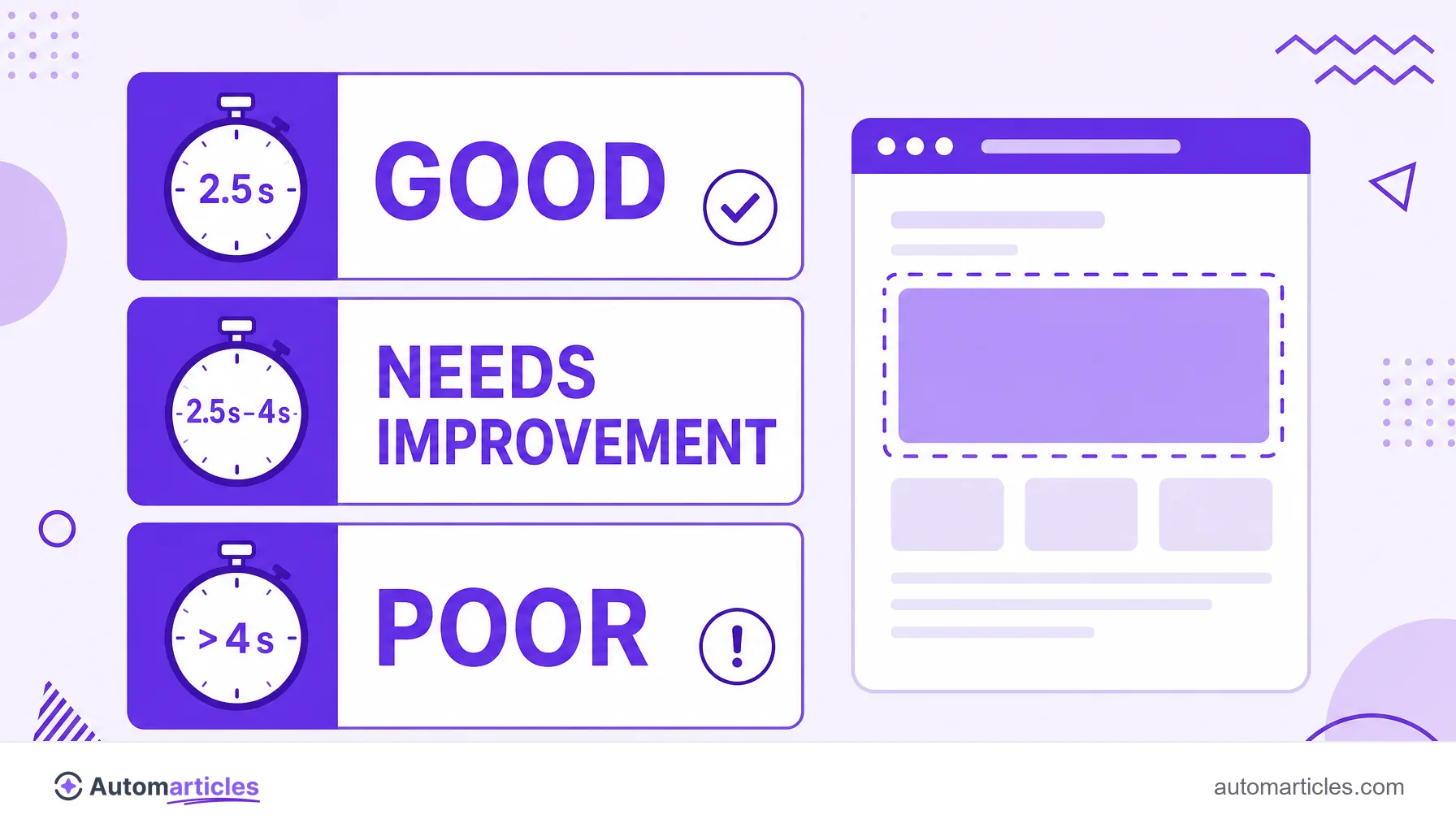
LCP (Largest Contentful Paint) measures the time until the largest visible element of the page appears on screen. According to Google, the ideal value is:
- Good: up to 2.5 seconds;
- Needs improvement: between 2.5 and 4 seconds;
- Poor: above 4 seconds.
What LCP (Largest Contentful Paint) is
LCP stands for Largest Contentful Paint. It is one of the three Core Web Vitals metrics, the set of indicators Google uses to assess the experience of whoever visits a page.
In practice, LCP measures how much time passes from the click until the largest visible element on screen finishes appearing. That element is usually a hero image, a cover video or a large block of text. It is what gives the visitor the feeling that the page has, at last, loaded.
Because it measures that perception of speed, LCP is one of the most important technical SEO signals tied to performance. A high LCP almost always means a user waiting, which hurts both the experience and the ranking.
What is a good LCP value
Google defines clear ranges for LCP, measured at the 75th percentile of loads, that is, considering the experience of most users:
| Range | LCP time | What it means |
|---|---|---|
| Good | Up to 2.5 s | Fast loading |
| Needs improvement | 2.5 s to 4 s | Average experience |
| Poor | Above 4 s | User waiting too long |
These limits are in the official web.dev documentation, maintained by the Google team. The goal, for most sites, is to keep LCP within 2.5 seconds on mobile, where connections tend to be slower.
What usually worsens LCP
Several factors push LCP up. The most common are:
- Slow server: a high Time to First Byte delays everything else in the load.
- Heavy images: the main image without compression or in the wrong format takes long to render.
- Render-blocking resources: heavy CSS and JavaScript hold back the display of the content.
- Late loading of the main element: when the hero image only starts downloading after other files.
- Lack of caching: without a cache, each visit rebuilds the page from scratch.
Identifying which of these points dominates your case is the first step. Tools like PageSpeed Insights point out the exact element responsible for LCP on each page.
How to improve LCP step by step
Improving LCP is, almost always, a matter of delivering the main element faster. A practical roadmap:
- Optimize the hero image: compress it, use modern formats like WebP and set a proper alt text.
- Prioritize the load: preload the image or the most prominent block so it comes first.
- Reduce server time: use good hosting, caching and a CDN to lower the Time to First Byte.
- Trim CSS and JavaScript: remove what blocks rendering and defer non-essential scripts.
- Test on mobile: validate the changes on slow connections, where LCP tends to be worse.
Small optimizations add up. Every second saved on LCP improves the experience and reduces the chance of the visitor giving up before the page appears.
Why LCP matters for SEO and conversion
LCP is not just a technical number. Because it translates perceived speed, it has a direct effect on how many people stay on the page and convert. A page that takes long to show the main content loses visitors before it even introduces itself, which usually raises the bounce rate.
The data reinforces this. A study by Portent, which analyzed more than 100 million page views, found that a site loading in 1 second has a conversion rate about 3 times higher than one loading in 5 seconds. Since LCP is precisely a measure of when the page becomes useful, reducing it is one of the most direct ways to protect conversion.
On top of that, LCP is one of the Core Web Vitals used by Google as a ranking signal. In other words, improving it tends to help both the experience and the position in search.
Does LCP have other meanings? A note on the acronym
A heads up, because the acronym LCP is quite ambiguous in Portuguese. Outside the web world, it often appears in other contexts: in medicine, LCP usually refers to the posterior cruciate ligament of the knee, and in Brazilian law it names the Lei das Contravenções Penais (a misdemeanors law).
In this glossary, however, LCP always means Largest Contentful Paint, the performance metric of the Core Web Vitals. Whenever the acronym appears tied to websites, speed or SEO, this is the LCP being referred to.