
Subheadings (H2 and H3): what they are and how to use them in SEO
By Tiago CostaUpdated on July 2, 2026

Subheadings are secondary headings (the H2 and H3 tags) that split content into sections and subsections. They serve to:
- organize the text into reading blocks;
- make the page easier to scan;
- signal to Google the topic of each section;
- increase the chance of appearing in features like position zero.
What a subheading (H2 and H3) is
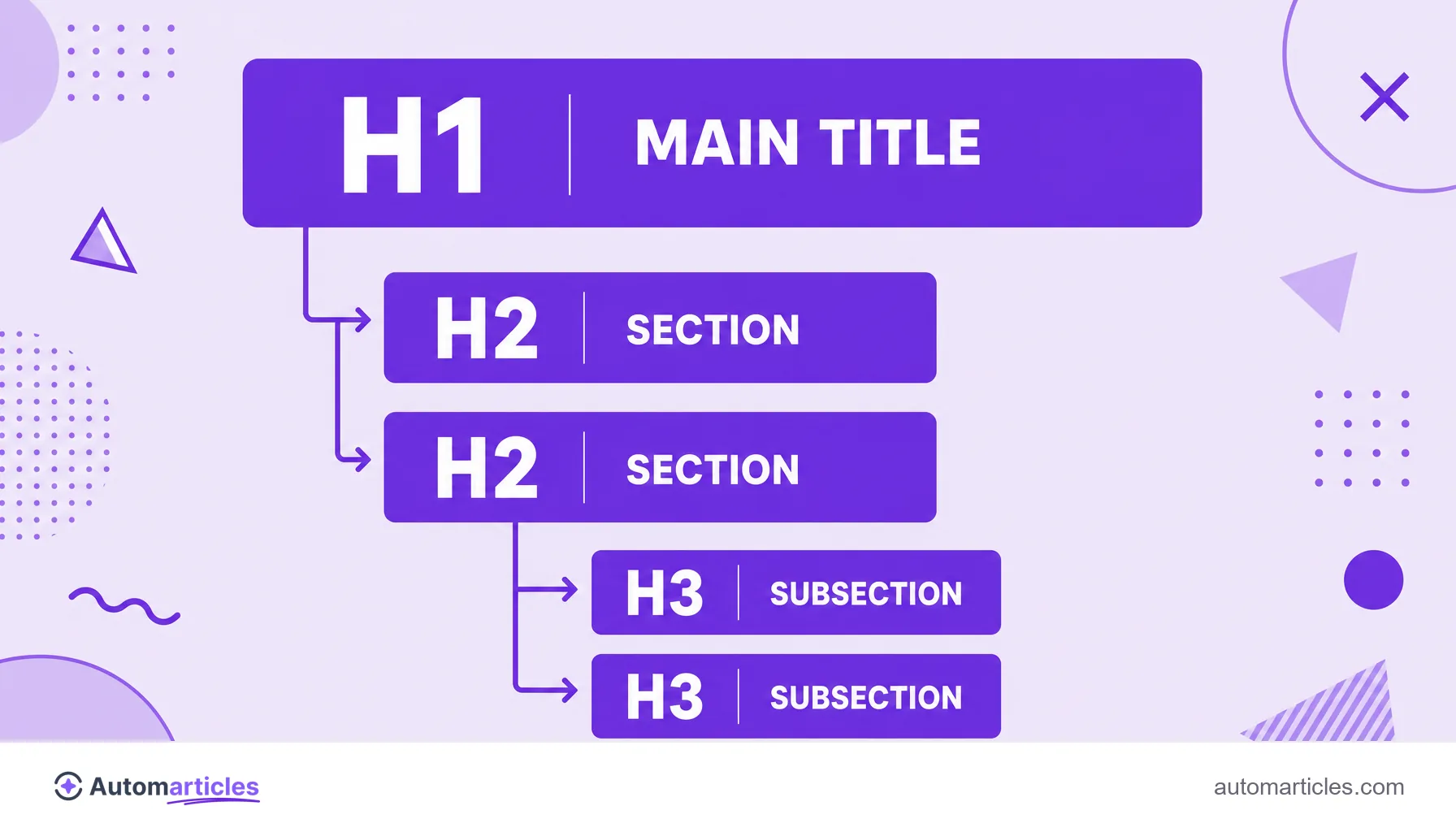
In the context of on-page SEO, a subheading is a secondary heading that splits content into smaller parts. In the page's HTML structure, it appears mainly as H2 (the major sections) and H3 (the subsections inside an H2), right below the main title.
It is worth separating two senses of the word. In a book or a news story, the subtitle is the supporting line that complements the title on the cover or the headline. On a web page, the term usually refers to the heading tags that structure the body of the text. It is this second sense, the H2 and H3 subheadings, that this entry is about.
These subheadings are part of the header tags family (from H1 to H6). They are one of the most visible elements of on-page SEO, because they stand out to the reader and, at the same time, are read by search engines to understand the hierarchy of the content.
Subheading, title and H1: understand the hierarchy
Confusing the title with a subheading is common, but the difference is clear once you look at the hierarchy of the heading tags. The H1 is the main title, unique per page, that announces the central topic. Subheadings come after, organizing ideas into levels.
| Tag | Role | Quantity |
|---|---|---|
| H1 | Main title, the topic of the page | One per page |
| H2 | Subheading for a main section | Several |
| H3 | Subheading for a subsection inside an H2 | Several |
| H4 to H6 | Deeper levels, used sparingly | As needed |
The golden rule is to respect the order without skipping levels. An H3 always belongs to an H2 and should not appear on its own. This logical hierarchy works like an outline of the content and is different from the title tag, which is the title shown as the blue link on the results page and does not appear inside the body of the text.
Why subheadings matter for SEO and reading
Subheadings work on two fronts at once: they improve the experience for the reader and help the search engine understand the page.
On the reader's side, they are essential because nobody reads the web word by word. A classic study by the Nielsen Norman Group found that 79% of users only scan the new pages they come across, and just 16% read the text in full. Clear subheadings act as stopping points that let the reader quickly find the passage that matters.
On the SEO side, subheadings provide context. Each H2 and H3 signals the topic of that section, which helps Google map the subtopics covered and the relevance of the content. They are also great places to include variations of the keyword naturally, reinforcing the topic without falling into forced repetition. The result is a page that is easier to read and easier to rank.
How to write good subheadings step by step
A good subheading delivers, in a few words, what the section is about. A few practical principles:
- Be descriptive: the reader should understand the content of the section just by glancing at the subheading.
- Keep parallelism: use a similar structure across subheadings of the same level, which gives rhythm and predictability.
- Match search intent: when it makes sense, use formats people search for, such as what is, how to or benefits.
- Add keywords naturally: spread variations of the term across the H2 and H3 without forcing it.
- Respect the hierarchy: H2 for sections, H3 for subsections, always in order.
Since the subheading is often the first thing the reader sees when scanning, it is decisive for readability and helps keep the person on the page to the end.
Common mistakes when using subheadings
A few slips undermine the strength of subheadings and are worth avoiding:
- Using subheadings just for looks: applying an H2 or H3 only to make the text bigger, with no relation to the structure, confuses the search engine.
- Skipping levels: jumping from an H2 straight to an H4, for example, breaks the logical hierarchy.
- Stuffing keywords: repeating the same term in every subheading sounds artificial and borders on excess.
- Being vague: generic subheadings like introduction or more information do not help anyone scan.
- Having several H1s: using more than one H1 removes the clarity about what the central topic of the page is.
Fixing these points is usually quick and immediately improves the organization of the text, giving each section a clear purpose.

Subheadings, scannability and position zero
Well written subheadings are the backbone of a scannable text. By splitting content into blocks with clear titles, they increase scannability and reduce the effort of reading, an effect the data confirms: in the same study by the Nielsen Norman Group, the scannable version of a page had usability around 47% better than the version in a solid block.
There is also an SEO bonus. When a section starts with a subheading in the form of a question and answers it directly right below, it becomes a natural candidate to take the position zero, that highlighted answer block above the first result. In other words, a carefully thought out subheading helps the reader, pleases Google and can even earn a prime spot in search.