
What a pillar page is in SEO
By Tiago CostaUpdated on July 2, 2026

A pillar page is the central page that covers a broad topic and connects the supporting content. In practice, it:
- gives a complete overview of a wide subject;
- links through internal links to articles that deepen each subtopic;
- forms, with those articles, a content cluster;
- concentrates authority and organizes the site around themes.
What a pillar page is
A pillar page is a long, comprehensive page that covers a broad topic from end to end, serving as the starting point for anyone who wants to understand that subject. Instead of exhausting every detail, it presents the overall picture and directs the reader, through internal links, to more specific content that breaks down each part of the topic.
Think of a topic like content marketing. The pillar page explains the concept, the main formats, the stages and the expected results, all in one place. Each subtopic mentioned (editorial calendar, content types, metrics) becomes its own deeper article that links back to the pillar.
It is this architecture that defines the pillar page: it is the axis of a set of content, not a standalone piece. By covering the subject in a structured way, it is usually one of the assets that contribute most to a site's topical authority, that is, its reputation as a broad reference on that theme.
Pillar page and content cluster: how they work together
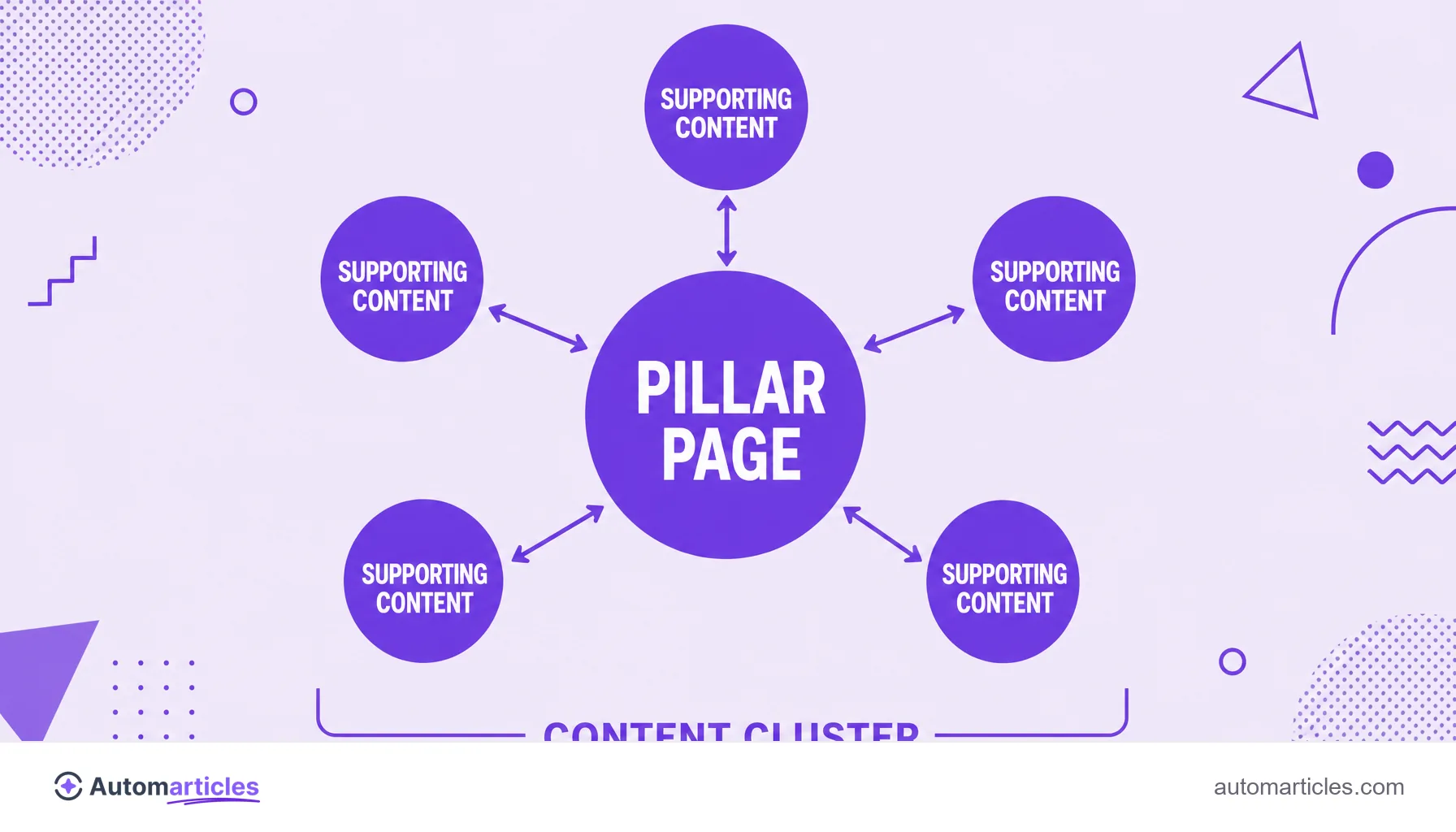
The pillar page does not exist on its own. It is the central piece of a strategy called the topic cluster model, or content cluster. The structure has three parts:
- Pillar page: the broad content that covers the main topic and targets a wider keyword.
- Supporting content (cluster): several articles that go deeper into specific subtopics, each targeting a more focused keyword.
- Internal links: the connections that link each supporting article to the pillar and back, tying the group together.
This design is not just theory. In the topic cluster experiments by HubSpot, the company observed that the more internal links it created between the pillar and the supporting content, the better the pages ranked in search results. The lesson is direct: the value of the pillar page comes as much from the content as from the network of internal links it organizes.
Types of pillar page
Not every pillar page has the same format. The choice depends on the topic and the audience's intent. The most common types:
| Type | How it works | Best for |
|---|---|---|
| Guide (10x / overview) | Covers the whole topic in a long, navigable page. | Broad, educational topics. |
| Resource | Gathers and organizes links and materials on the subject. | Curation and reference. |
| Product/service | Structures a solution and its related subtopics. | Commercial pages backed by content. |
A close format is cornerstone content, the fundamental content you most want to rank. In practice, many pillar pages are also cornerstone: pieces that carry the site's main message and receive the reinforcement of the cluster articles.
Why the pillar page helps SEO
The pillar page organizes content in a way that pleases both the user and the search engine. The SEO gains come from several fronts at once:
- Authority on the theme: covering a subject in depth signals to Google that the site is a broad reference, reinforcing topical authority.
- Relevance distribution: the internal links between pillar and cluster spread authority across the group, also helping the supporting articles rank.
- Semantic context: by treating a theme from several angles, the set covers related entities and terms, aligned with semantic SEO.
- Better experience: the reader finds the overview and the connected details, which increases time on page and navigation.
The effect is cumulative. Each new supporting article, well connected to the pillar, strengthens the whole group. That is why the pillar page is usually a medium-term investment that keeps paying off as the cluster grows.

How to create a pillar page step by step
Building an effective pillar page is a process of planning before writing. A routine that works:
- Choose a topic broad enough: it needs to hold several subtopics, but be specific enough for you to have real authority over it.
- Map the subtopics: use a topic map to list the questions and themes that become the supporting articles.
- Write the pillar as an overview: cover each subtopic in summary on the pillar page, leaving the depth to the cluster articles.
- Create the supporting content: one article per subtopic, each answering its specific search intent.
- Connect everything with internal links: use descriptive anchor text to link each article to the pillar and the pillar back to them.
The order matters less than the coherence. You can start with the pillar or with the supporting articles, as long as, in the end, they are all tied together by clear internal links. It is this mesh that turns loose pages into a real cluster.
Common mistakes in pillar pages
Even with the right structure, a few slips drain a pillar page's potential. The most frequent:
- Topic too narrow: if the subject cannot hold several subtopics, there is no cluster to support the pillar.
- Lack of internal links: a pillar without strong connections to the supporting articles loses exactly what makes it powerful.
- Shallow content: a long page full of generalities does not build authority, it just takes up space.
- Keyword cannibalization: pillar and supporting articles targeting the exact same term end up competing with each other.
The common denominator of these mistakes is treating the pillar page as just another article. It is, in fact, a piece of content architecture, part of a broader content marketing strategy. When the structure is respected, the pillar and its cluster support each other and grow together in search.