
What the X-Robots-Tag header is and how to control indexing
By Tiago CostaUpdated on July 2, 2026

The X-Robots-Tag is an HTTP header that controls how the search engine indexes a URL. In practice, it:
- travels in the server response, outside the page's HTML;
- accepts the same directives as the meta robots, such as noindex and nofollow;
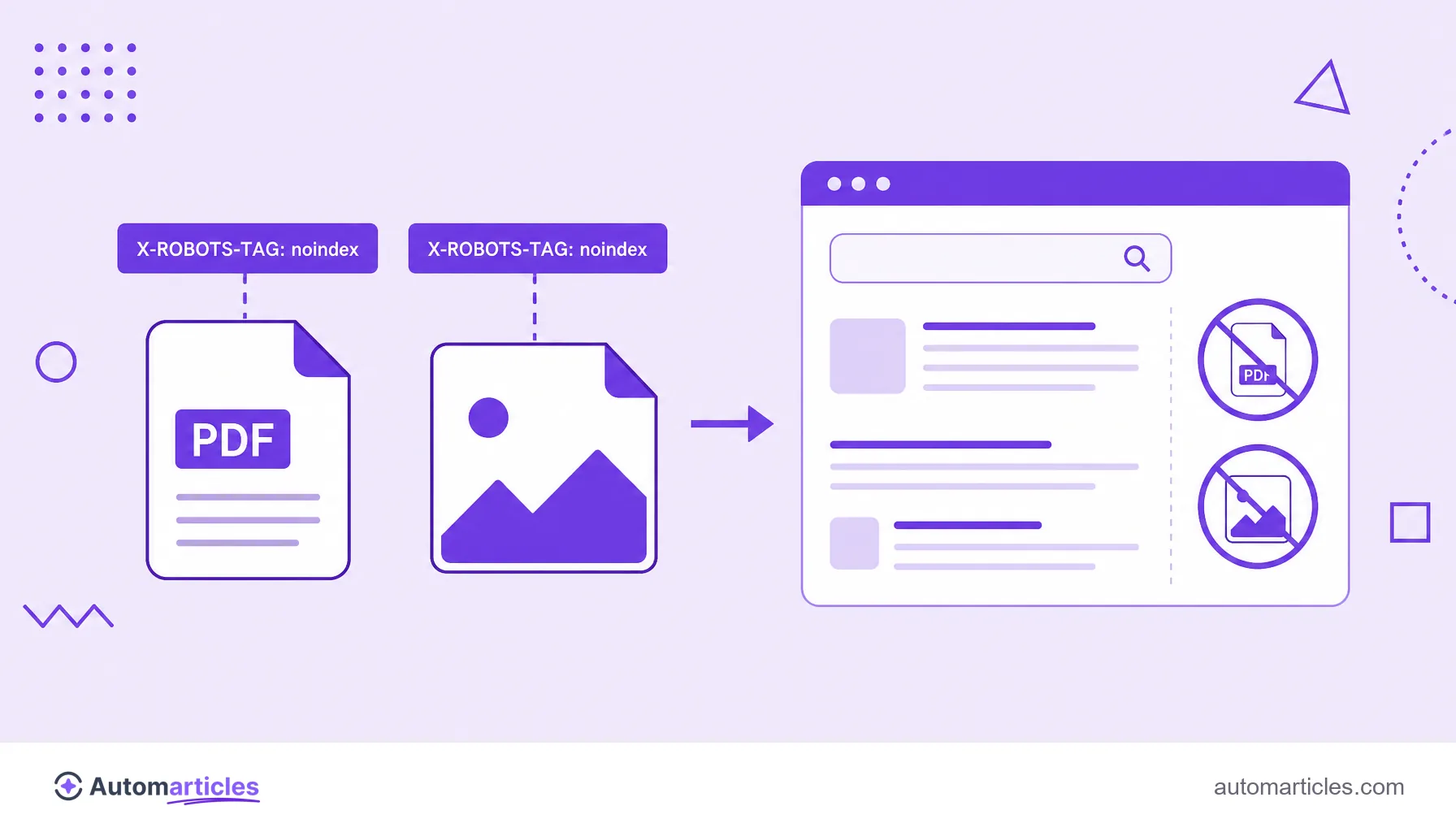
- is the only way to apply noindex on PDFs, images and other non-HTML files;
- lets you apply rules in bulk by file type on the server.
What the X-Robots-Tag header is
The X-Robots-Tag is an HTTP header, that is, a line of information the server sends along with a URL's response, even before the content itself. In that header, you can include indexing directives that tell search engines how to treat that page or file: whether it can be indexed, whether it should follow the links, whether it can show a cached version and so on.
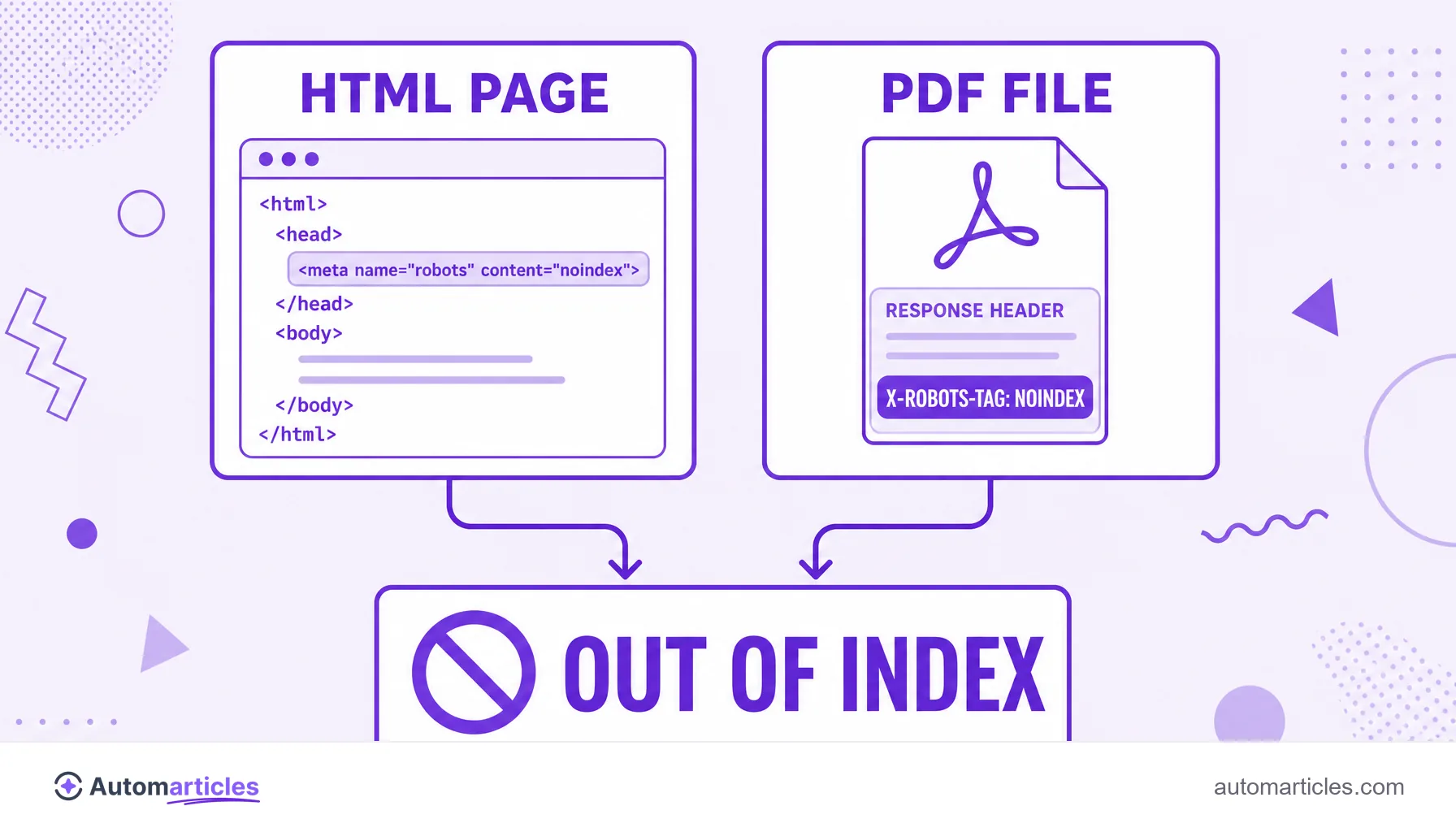
The core difference from the well-known meta robots tag is where the instruction lives. The meta tag sits inside the HTML, in the page's head section. The X-Robots-Tag, on the other hand, sits in the server response, at a level before the content. Both achieve the same effect on indexing, but through different paths.
This distinction is not an unimportant technical detail. It solves a real problem: how to prevent the indexing of files that have no HTML, such as a PDF or an image. Without a head section to receive a meta tag, these files can only be controlled by the HTTP header.
X-Robots-Tag vs meta robots tag: when to use each
The two tools deliver the same directives, so the choice depends on what you need to control and where it is more practical to apply the rule:
- Meta robots tag: ideal for individual HTML pages. Just insert the line <meta name="robots" content="noindex"> in the document head. It is simple and does not require server access.
- X-Robots-Tag: ideal for non-HTML files (PDFs, images, videos) and for applying rules in bulk. Since it sits on the server, you can, for example, send noindex to all the PDFs in a folder at once.
The table below sums up the practical differences between the two:
| Criterion | Meta robots tag | X-Robots-Tag |
|---|---|---|
| Where it lives | In the HTML, in the page head | In the HTTP header, on the server |
| File types | HTML pages only | Any file (HTML, PDF, image, video) |
| Bulk application | One page at a time | In bulk, by folder or URL pattern |
| Server access | Not required | Requires server configuration |
| Ease | Simpler to apply | Needs a bit more technical knowledge |
It is worth reinforcing a rule that confuses many people: both the meta tag and the X-Robots-Tag only work if the search engine can crawl the URL and read the instruction. If you block the same page in robots.txt, the robot never gets to see the header, and the noindex directive is ignored. Crawl blocking and an indexing directive are distinct things that should not be combined on the same URL.
What values the X-Robots-Tag accepts
The X-Robots-Tag recognizes the same directives as the meta robots tag, and you can combine more than one, separated by a comma. The most used ones:
| Value | What it tells the search engine |
|---|---|
| noindex | Do not include this URL in search results. |
| nofollow | Do not follow the links contained in that resource. |
| none | Shortcut for noindex and nofollow together. |
| noarchive | Do not show a cached version of the resource. |
| nosnippet | Do not show a text snippet or preview in the result. |
| unavailable_after | Stop indexing the URL after a defined date. |
You can also target the directive at a specific robot, naming the agent before the value (for example, applying the rule only to Googlebot). This flexibility makes the X-Robots-Tag a powerful tool for anyone managing many different file types.
How to set the X-Robots-Tag on the server
Since the X-Robots-Tag lives in the HTTP response, the configuration is done on the web server, not in the content. The most common paths:
- Apache: in the configuration file or the .htaccess, a rule like Header set X-Robots-Tag "noindex" can be combined with an extension filter to target only the PDFs, for example.
- Nginx: inside the server block, the directive add_header X-Robots-Tag "noindex"; applies the rule to the URLs you specify.
- WordPress: SEO plugins let you mark content types with noindex, and some already handle the header for media files without you touching the server.
The point of attention is always the same: applying the rule to the right target. A poorly configured filter can end up sending noindex to important pages, so every change calls for a test before going to production. Getting this wrong drops entire pages from search without warning.
Use cases: PDFs, images and non-HTML files
It is in files that are not HTML pages that the X-Robots-Tag shines, because in them the meta tag simply does not exist. Typical situations:
- Internal PDFs: catalogs, manuals and materials you do not want competing in the results with the site's pages.
- Sensitive images: files that should stay accessible to whoever has the link, but out of image search.
- Spreadsheets and documents: exports and reports that generate duplicate or low-value content for search.
- Download areas: entire folders that make more sense out of the index.
It is worth remembering that these directives are part of a well-established universe. According to the survey by the Web Almanac by HTTP Archive, in 2024 the noindex directive was present on around 4.7% of desktop pages and 3.9% of mobile pages, a sign that indexing control, whether by meta tag or by header, is a common practice on the web. To complement it, the alt text remains the way to describe images you do want to index.
How to check and avoid errors with the X-Robots-Tag
Since the header does not appear in the visible HTML, it is easy to apply it by mistake or forget to remove it. A routine to check that everything is right:
- Inspect the HTTP headers: browser developer tools or header checkers show whether the X-Robots-Tag is present and with which value.
- Make sure the URL is crawlable: confirm it is not blocked in robots.txt, otherwise the search engine will not read the directive.
- Use URL inspection: the Search Console URL inspection tool indicates whether Google sees the page as excluded by a noindex directive.
- Check the status code: a correct HTTP status code, along with the right header, avoids contradictory signals for the robot.
The most expensive X-Robots-Tag mistake is the silent one: a forgotten noindex in a broad server rule can deindex entire sections without anyone noticing right away. Reviewing the headers after any infrastructure change is the best form of prevention.