
Indexação em SEO: o que é e como funciona no Google
Por Tiago CostaAtualizado em 2 de julho de 2026
A indexação é o processo de incluir uma página no índice do buscador, o banco de dados que ele usa para montar os resultados. Uma página indexada:
- já foi rastreada, renderizada e analisada pelo Google;
- está armazenada no índice e apta a ranquear;
- pode aparecer quando alguém pesquisa um termo relacionado;
- sem indexação, não há posição possível na busca.
O que é indexação em SEO
A indexação é a etapa em que o motor de busca guarda uma página no seu índice, uma biblioteca gigantesca que funciona como o índice remissivo no fim de um livro: para cada palavra, uma lista de onde ela aparece. Quando alguém pesquisa, o Google não varre a web inteira na hora, ele consulta esse índice já organizado.
A dimensão impressiona. Segundo a documentação de como a Busca do Google funciona, o índice reúne centenas de bilhões de páginas e ocupa bem mais de 100 milhões de gigabytes. É desse acervo que saem todos os resultados que você vê.
A consequência prática é simples: estar indexado é condição para existir na busca. Uma página que o Google não colocou no índice não ranqueia para nada, por melhor que seja o conteúdo.
Rastreamento, indexação e ranqueamento: as três etapas
É comum confundir três momentos diferentes do trabalho do buscador. Separá-los ajuda a diagnosticar problemas:
| Etapa | O que acontece |
|---|---|
| Rastreamento | O rastreador descobre e baixa a página seguindo links e sitemaps. |
| Indexação | O Google renderiza, entende e decide armazenar a página no índice. |
| Ranqueamento | Diante de uma busca, o índice é consultado e as páginas são ordenadas. |
São passos em sequência, mas independentes: uma página pode ser rastreada e não indexada, ou indexada e não ranquear bem. Quanto maior o site, mais pesa o orçamento de rastreamento, ou seja, quantas páginas o Google se dispõe a visitar em um período.
Como o Google indexa uma página
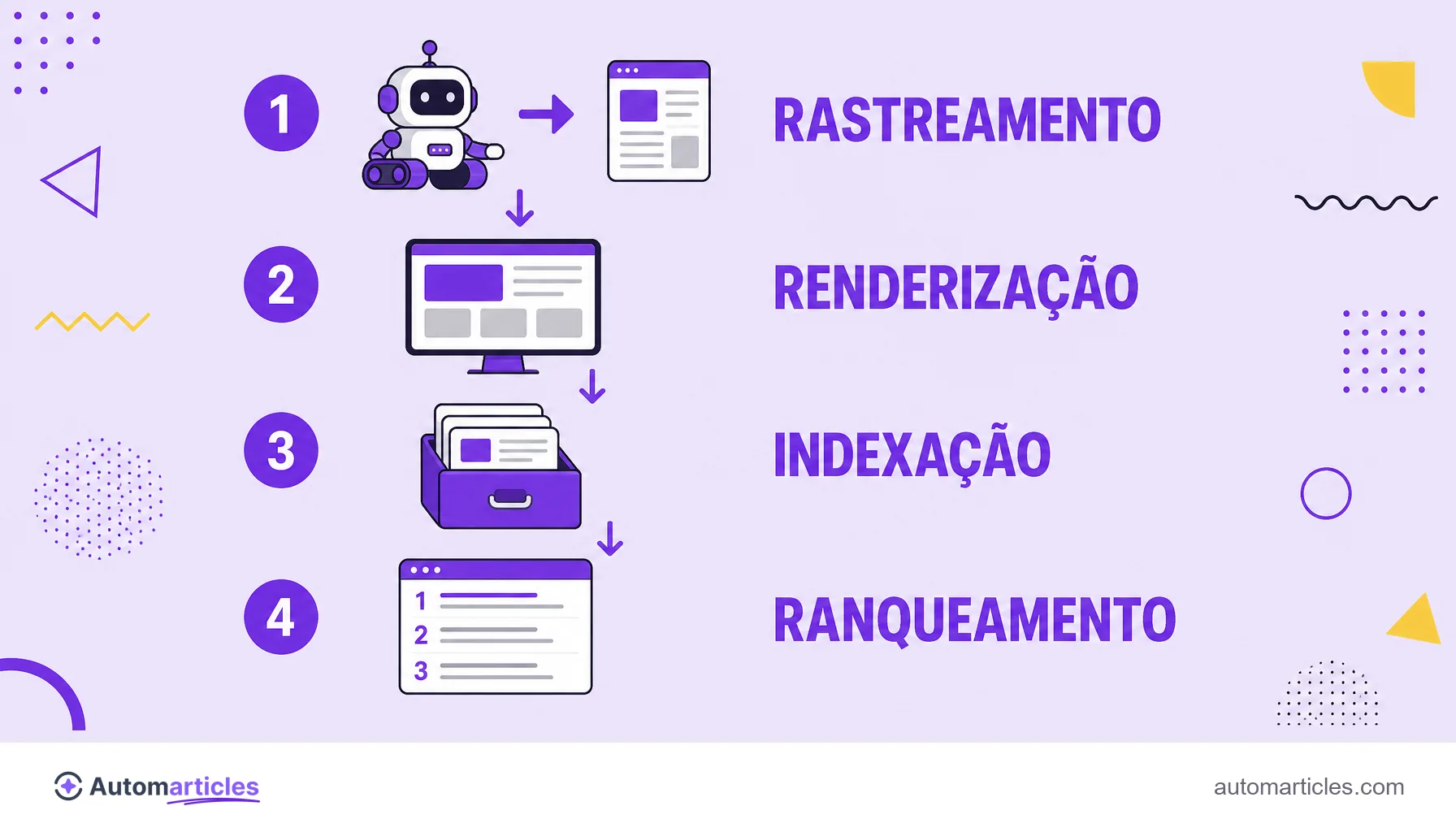
Da descoberta ao índice, o caminho tem etapas bem definidas. Entender cada uma mostra onde a indexação pode travar:
- Descoberta: o Google encontra a URL por um link, por um sitemap ou por um envio manual.
- Rastreamento: o Googlebot baixa o HTML e os recursos da página.
- Renderização: o buscador executa o código, inclusive JavaScript, para ver a página como o usuário veria.
- Análise: o conteúdo é interpretado (texto, títulos, links, dados) e comparado com o que já existe no índice.
- Indexação: se a página passa nos critérios de qualidade e não tem bloqueios, é armazenada e fica apta a ranquear.
Em nenhum desses passos há garantia automática. O Google escolhe o que vale a pena indexar, e conteúdo raso ou duplicado costuma ficar de fora.
Como saber se sua página está indexada
Descobrir se uma página entrou no índice leva poucos minutos. As formas mais confiáveis são:
- Operador site: pesquisar site:seudominio.com/pagina no Google mostra se aquela URL aparece no índice.
- Inspeção de URL: a inspeção de URL no Google Search Console informa se a página está indexada e, se não estiver, por quê.
- Relatório de páginas: o Search Console lista, em escala, quais URLs estão indexadas e quais foram excluídas, com o motivo de cada exclusão.
O Search Console é a fonte oficial: em vez de adivinhar, ele mostra a leitura que o próprio Google faz do seu site, o que torna o diagnóstico muito mais preciso.
Como melhorar e acelerar a indexação
Você não controla o Google, mas pode remover barreiras e facilitar o trabalho dele. As ações de maior impacto:
- Envie um sitemap: o sitemap XML lista suas URLs importantes e ajuda o buscador a descobri-las.
- Reforce os links internos: uma boa malha de links internos leva o robô às páginas novas e sinaliza quais importam.
- Não bloqueie por engano: confira o robots.txt e remova a tag noindex de páginas que deveriam ranquear.
- Cuide das canônicas: uma URL canônica bem definida evita que o Google indexe a versão errada de um conteúdo duplicado.
- Entregue qualidade: conteúdo útil e original tem muito mais chance de ser indexado do que páginas rasas.
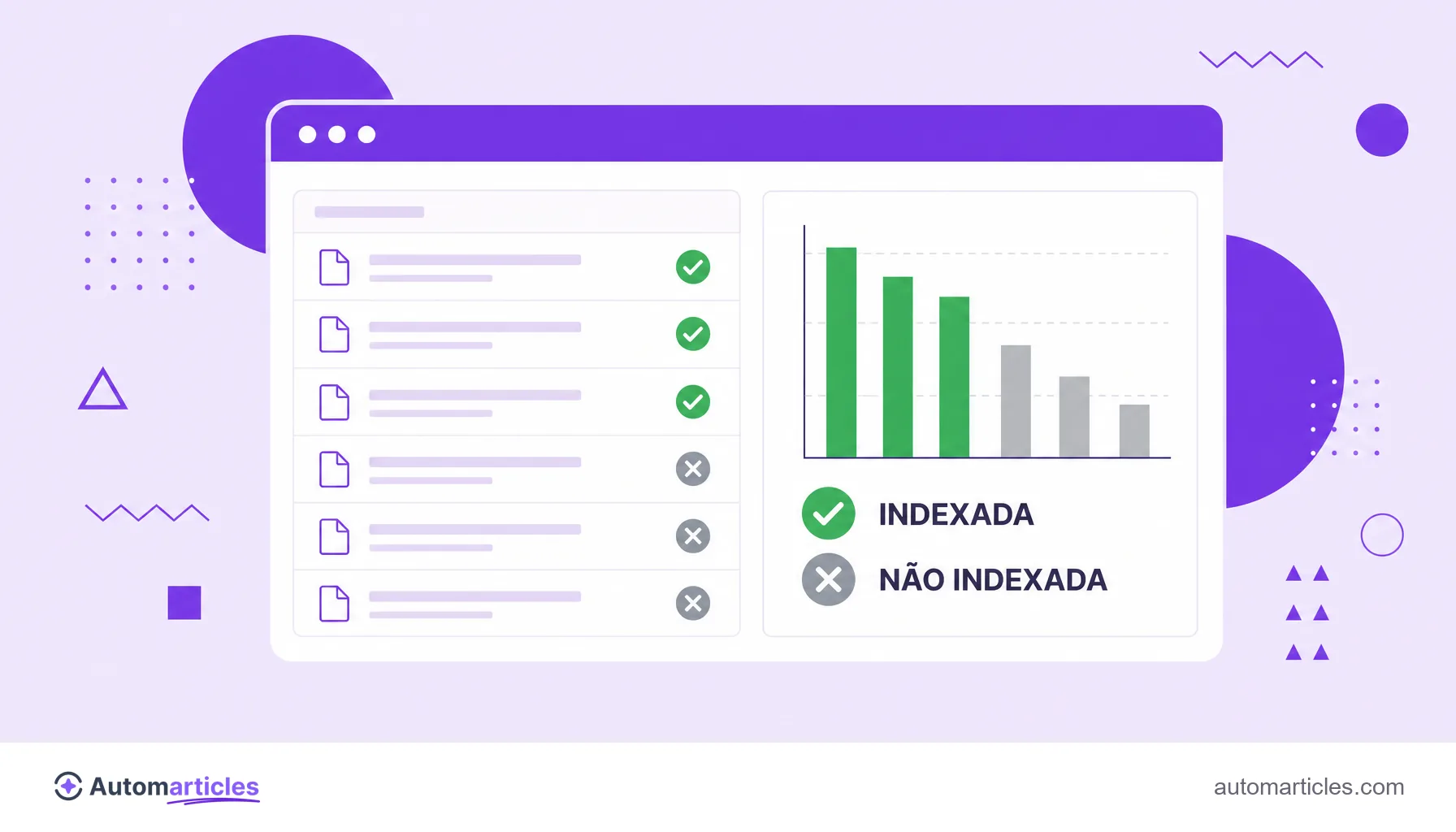
Vale lembrar que indexar não é o mesmo que ranquear. Um estudo da Ahrefs com cerca de 14 bilhões de páginas apontou que 96,55% delas não recebem nenhum tráfego do Google, muitas por estarem indexadas, mas sem relevância suficiente para aparecer bem.
Por que uma página pode não ser indexada
Quando uma URL não entra no índice, quase sempre há uma causa identificável. As mais frequentes:
- Tag noindex: uma diretiva noindex esquecida pede explicitamente para o Google não indexar a página.
- Bloqueio no robots.txt: se o robots.txt barra o rastreamento, o Google nem chega a ver o conteúdo.
- Canônica apontando para outra URL: a página é tratada como cópia e a versão preferida é indexada no lugar.
- Soft 404 e conteúdo raso: páginas de soft 404 ou thin content costumam ser descartadas.
- Conteúdo duplicado: quando várias URLs entregam o mesmo texto, o Google escolhe uma e ignora as demais.
O caminho para corrigir é diagnosticar no Search Console, tratar a causa e, se necessário, solicitar a indexação de novo. Erros de SEO técnico são, de longe, os que mais travam a indexação.
Indexação fora do SEO: economia, salários e documentos
Fora da web, 'indexação' é uma palavra comum em outras áreas, o que gera buscas com sentidos bem diferentes:
- Indexação na economia: é o reajuste de preços, salários ou contratos com base em um índice, como a inflação. Foi central na história econômica do Brasil.
- Indexação salarial: a correção automática de salários por um indexador, para preservar o poder de compra.
- Indexação de documentos: na biblioteconomia e na arquivística, é o processo de descrever e classificar documentos para facilitar a busca.
Todos partilham a mesma ideia de organizar algo para encontrar depois. Neste glossário, porém, indexação significa sempre a inclusão de uma página no índice do buscador, o conceito que interessa ao SEO.